
Marriage Biodata with Photo
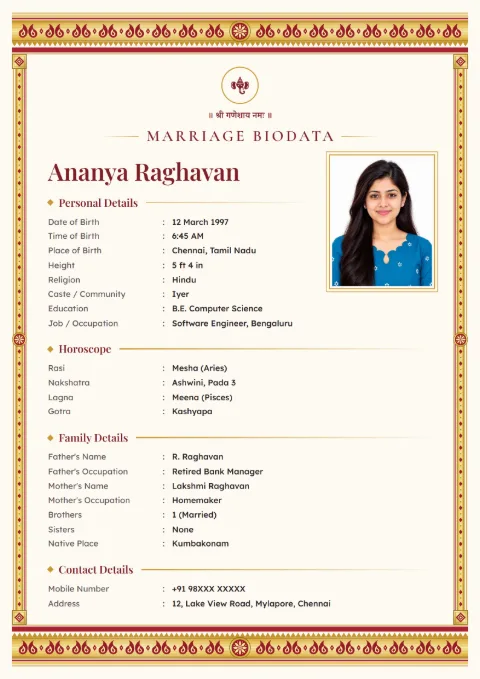
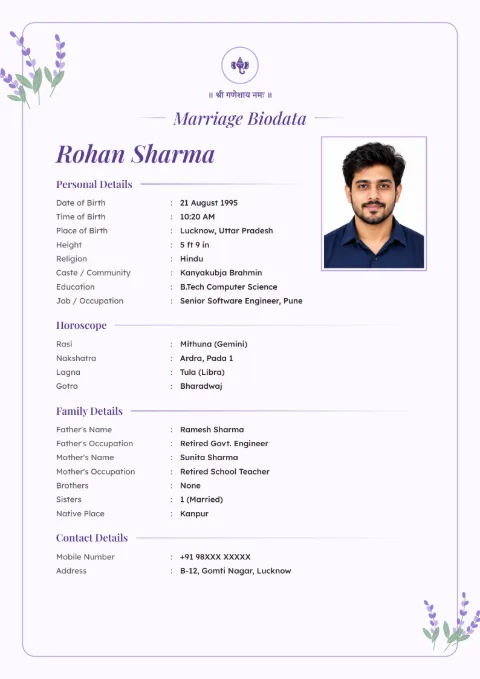
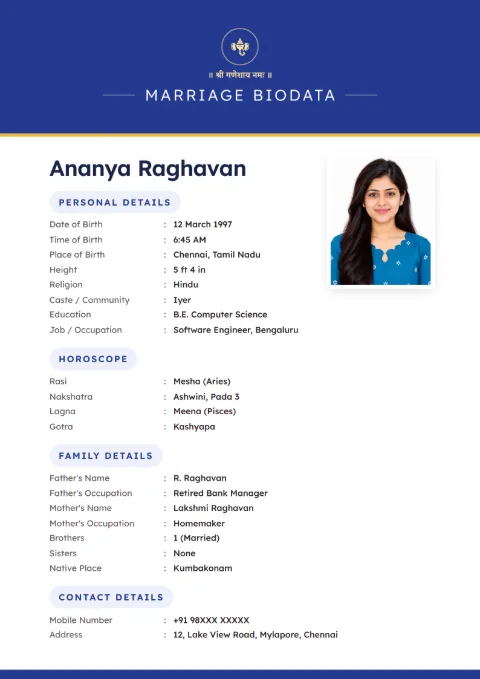
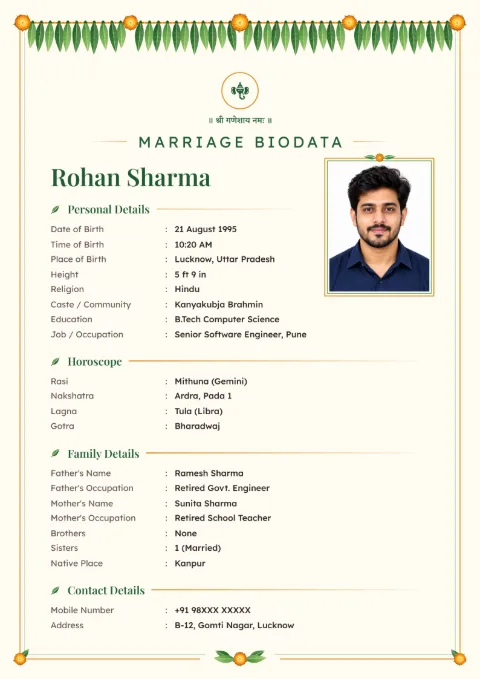
Every design here has one photo box, a passport-size rectangle near the name. Upload one photo from your phone and zoom it until the face sits right, and download the biodata with the photo as a PDF or a JPG image. Making it is free on 63 of the 66 designs.
How to Add Your Photo
The photo step is on the Contact screen, in the card called Your Photo.
- Tap Upload Photo and pick a JPG or PNG photo from the phone.
- The Adjust Your Photo screen opens. Drag the photo to move it, and pinch or use the slider to zoom, up to six times.
- If the photo came out sideways, tap Rotate. Reset takes you back to the start.
- Tap Use Photo. It now sits in the frame on the preview.
Later you can tap Adjust Photo to crop again, Change Photo for a new one, or Remove to take it off.
The Size and Shape of the Photo Box
Every design uses the same shape: a plain rectangle, 7 wide to 9 tall, like a passport photo. On a printed A4 biodata it comes to about 4.4 by 5.6 cm. There are no circles or arches, so a face is never cut at the sides.
Because the shape is fixed, the crop screen matters. Keep the top of the head a little below the top edge, and the shoulders in view. A face that fills the whole box looks cramped once it prints.
Choosing the Right Photo
Families look at the photo first, before the name. Some plain checks before you upload:
- Taken in the last six months or so. An old college photo surprises people later.
- Daylight from a window, facing it. Tube light at night turns the skin grey.
- A plain wall behind. A wedding crowd or a bike behind you pulls the eye away.
- The phone at eye level, not held high or low.
- No sunglasses, no heavy beauty filter, and nobody else cut out of the frame.
A saree, salwar, kurta or a formal shirt all work. Wear what you would wear to meet the family. Our post on photo tips for a marriage biodata has more on poses and clothes.
Can a Biodata Have More than One Photo?
Not here. Each biodata holds one photo. Most families send a second full-length photo separately on WhatsApp when the other side asks, and that keeps the biodata to one clean page.
Sharing a Biodata That Has a Photo
A biodata with a photo travels further than you expect, from one group to the next. For large community groups, some families send a version without the photo first, and the photo version only to families who reply.
Making both is easy. Download once with the photo, tap Remove, and download again. Our biodata without photo page shows how the designs look with no photo.
Marriage biodata samples with photo
Tap a sample to see it full size. The names and details on them are made up.
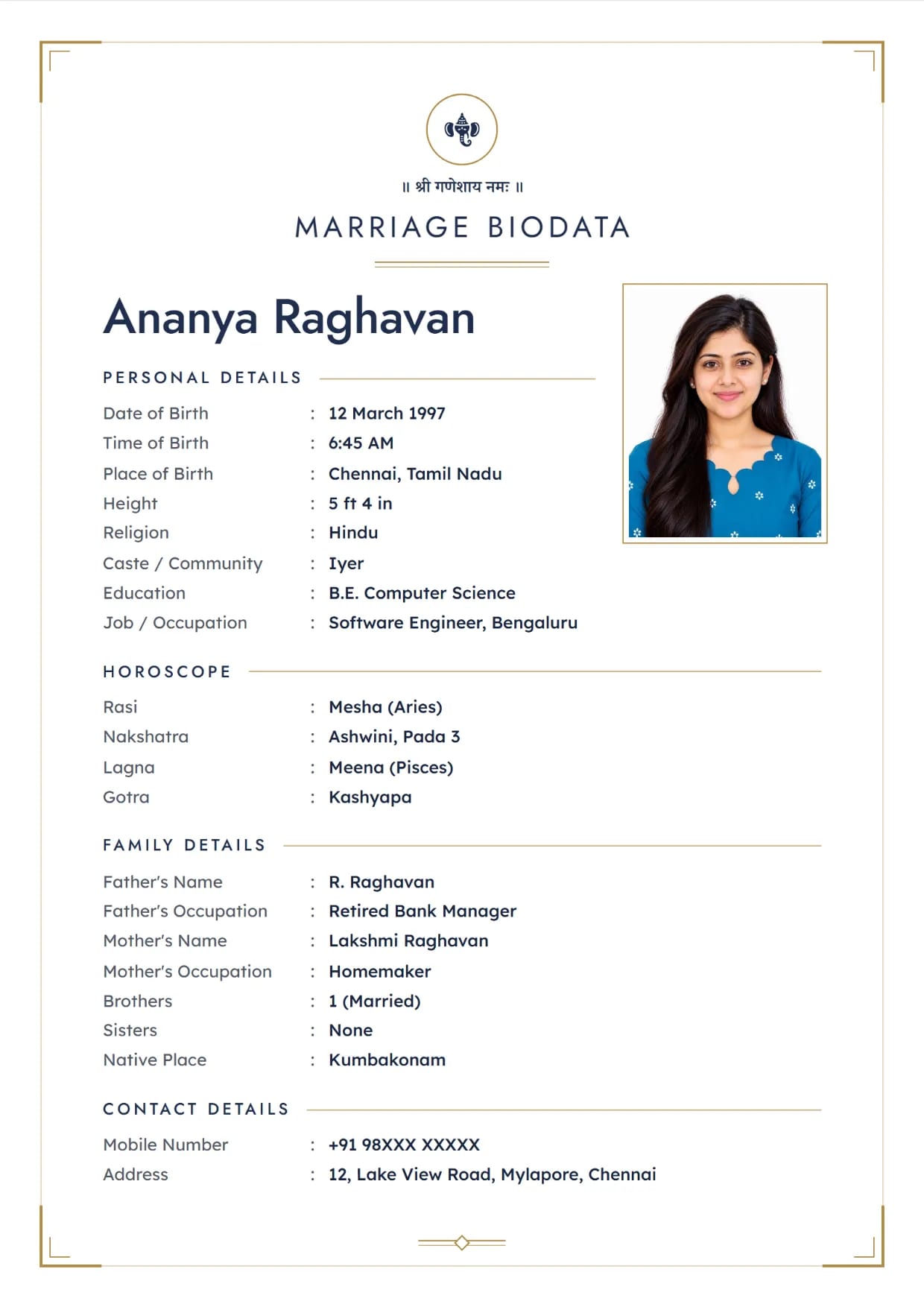
Charcoal Clean, Navy GoldGirl's biodata with Ganesh ji Use This Design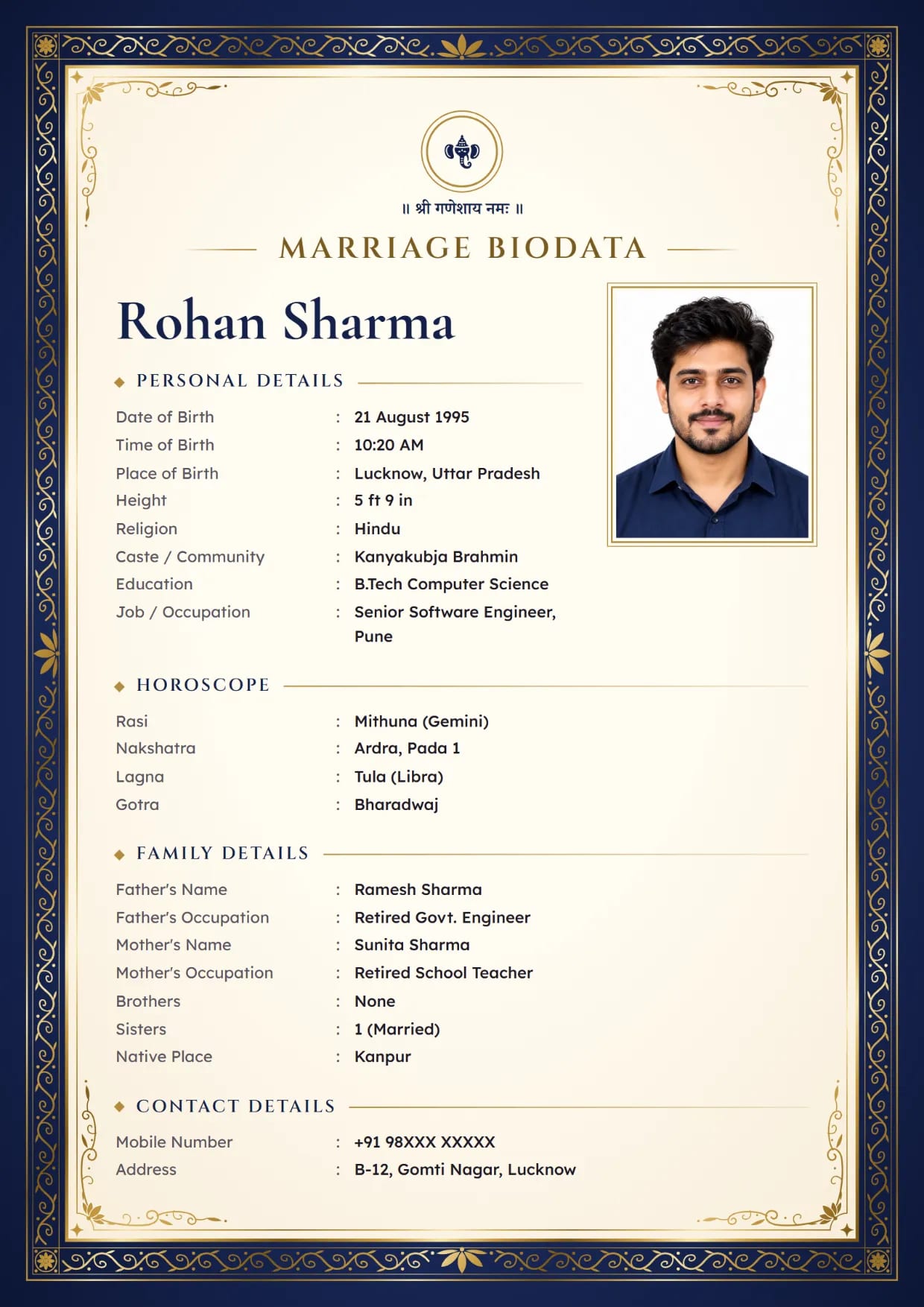
Gold Foil Royal, Midnight NavyBoy's biodata with Ganesh ji Use This Design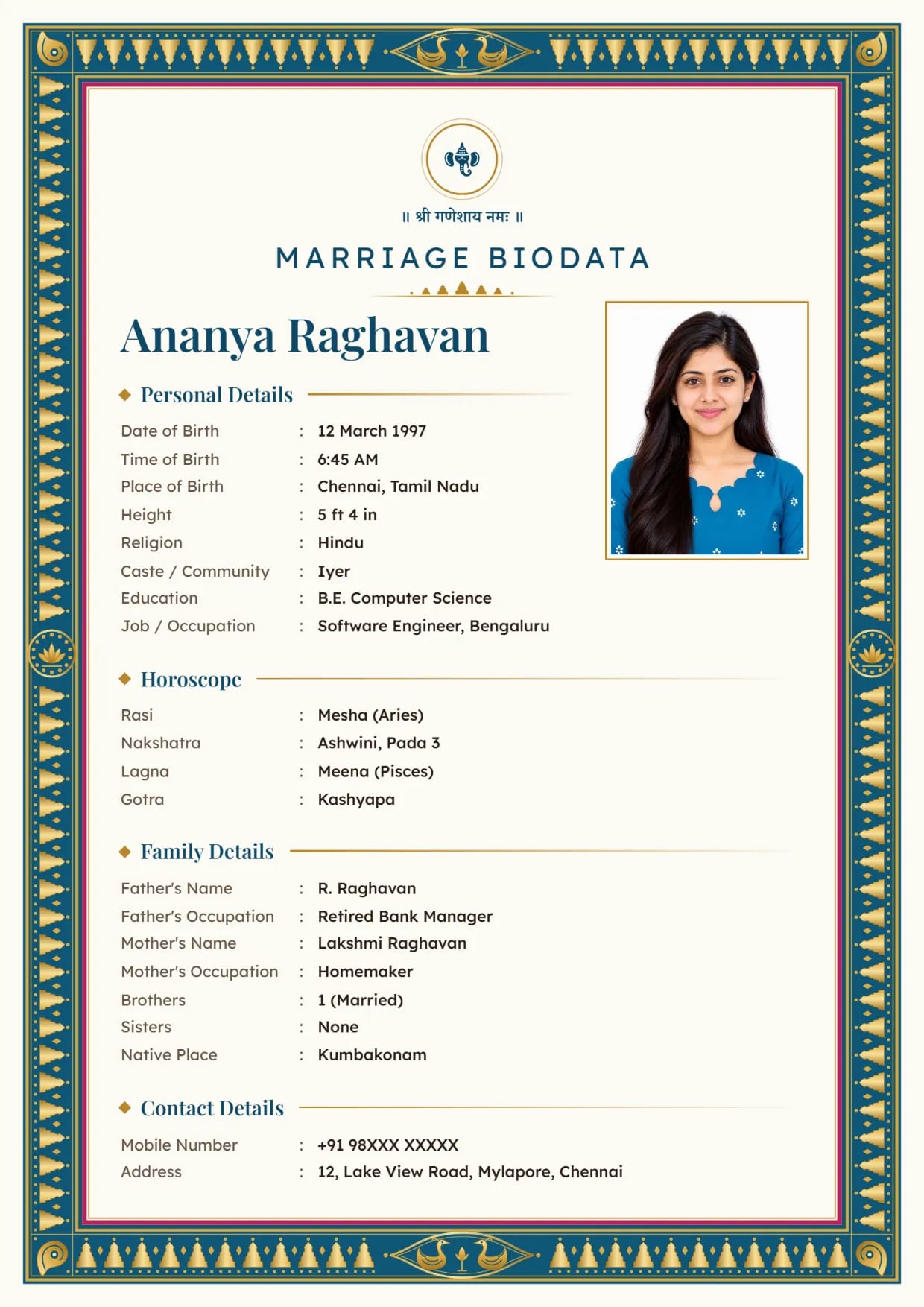
Kanjivaram Zari, Peacock BlueGirl's biodata with Ganesh ji Use This Design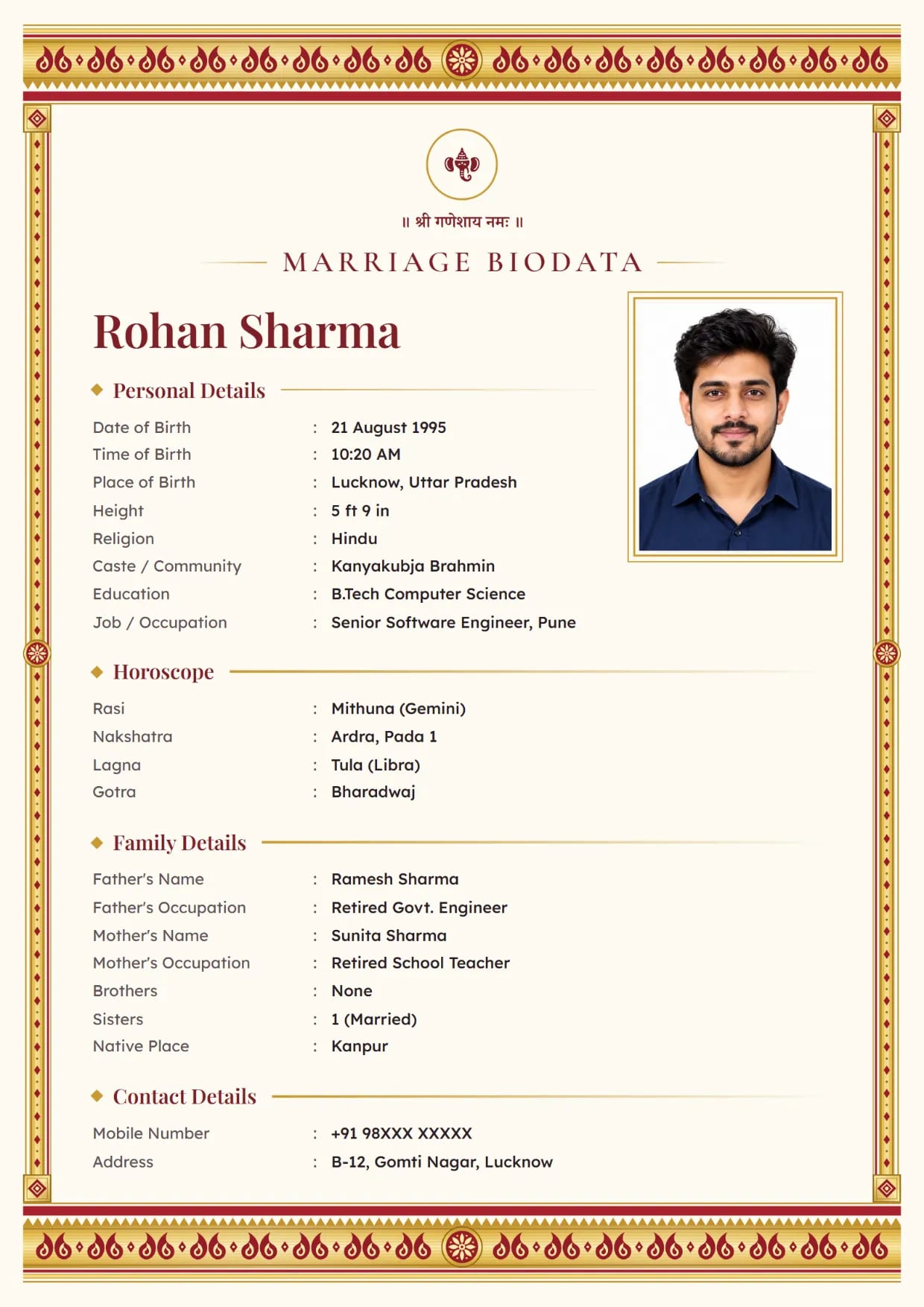
Kasavu Gold, Kumkum RedBoy's biodata with Ganesh ji Use This Design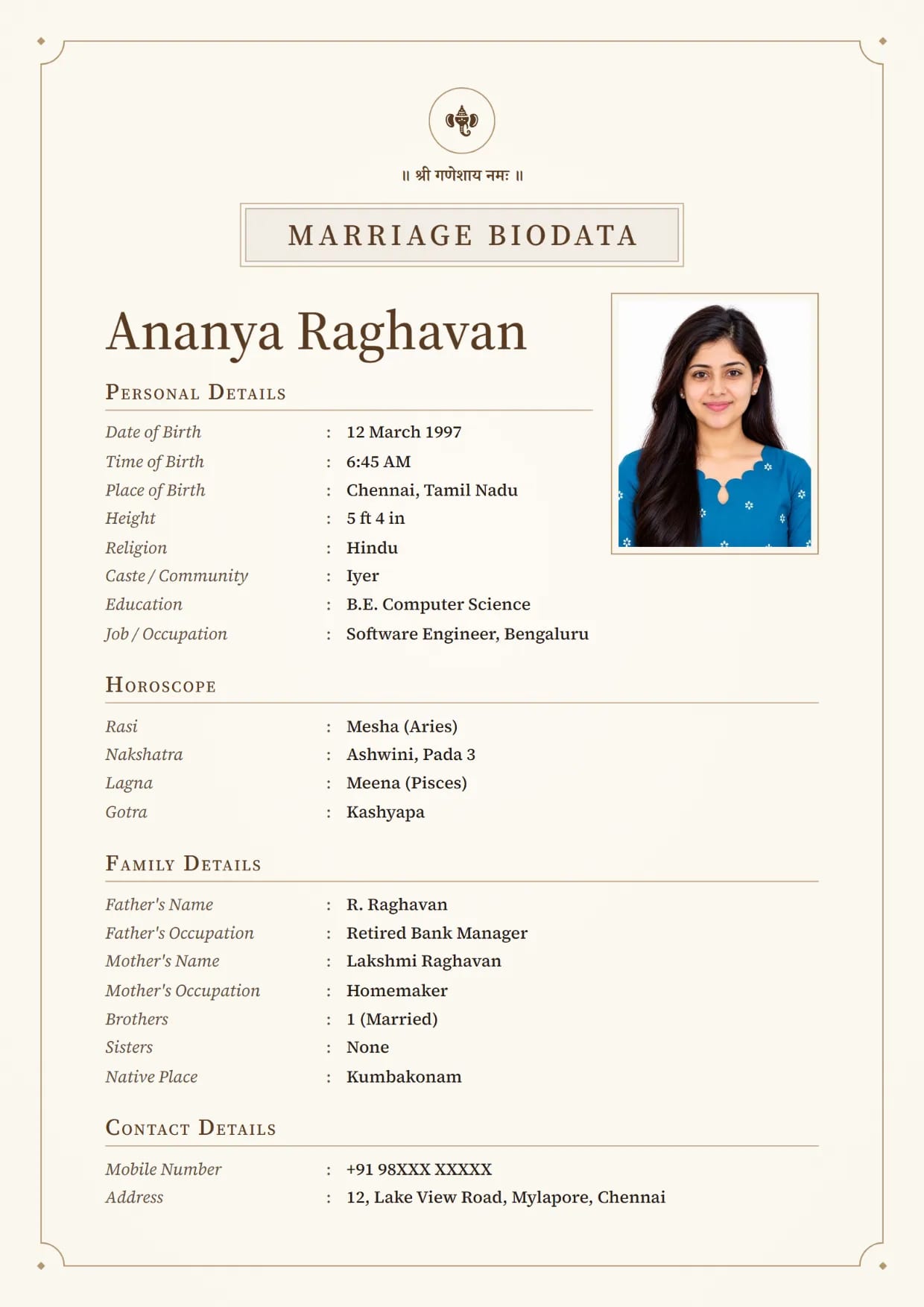
Linen Classic, WalnutGirl's biodata with Ganesh ji Use This Design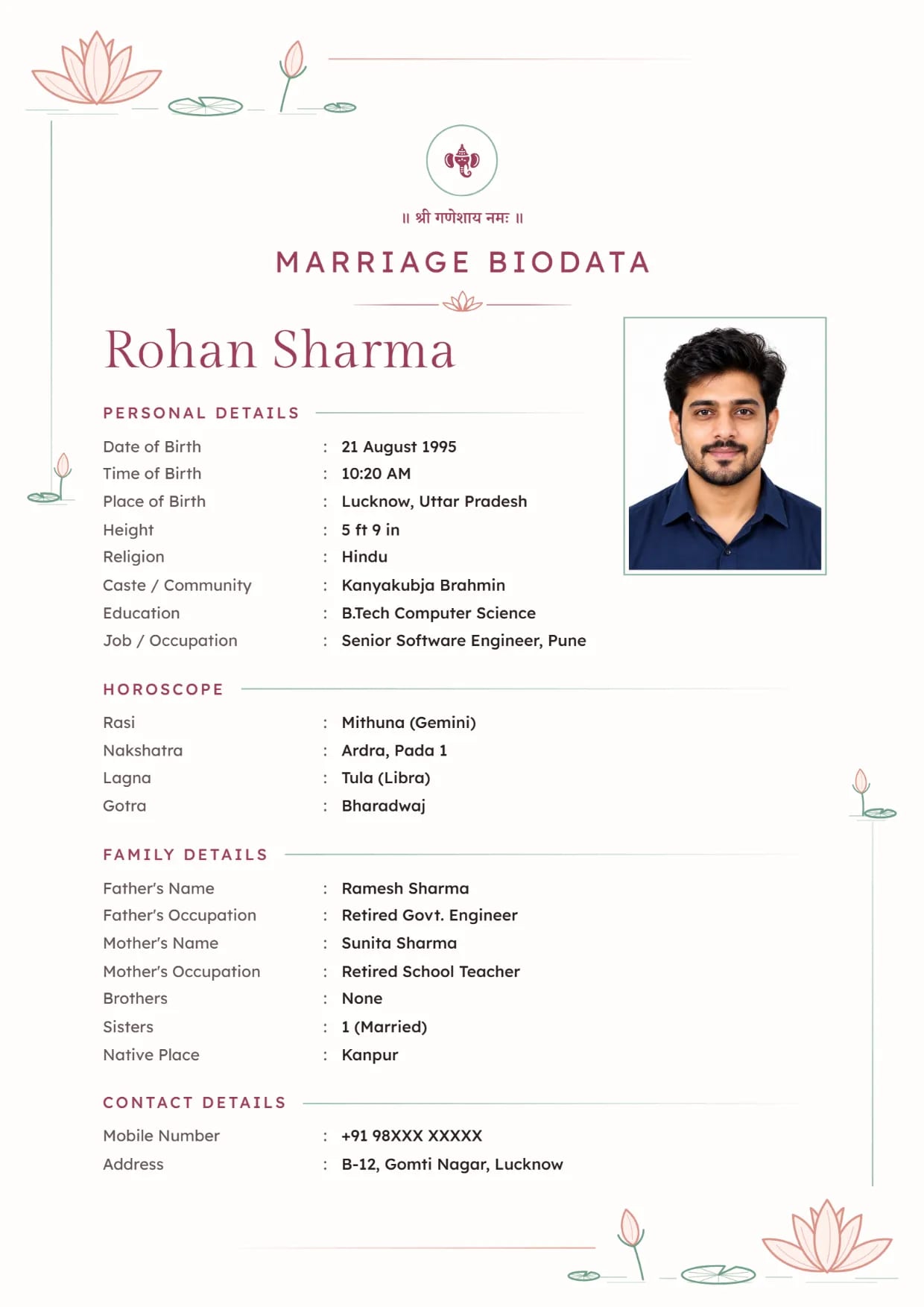
Lotus Line, Rose SageBoy's biodata with Ganesh ji Use This Design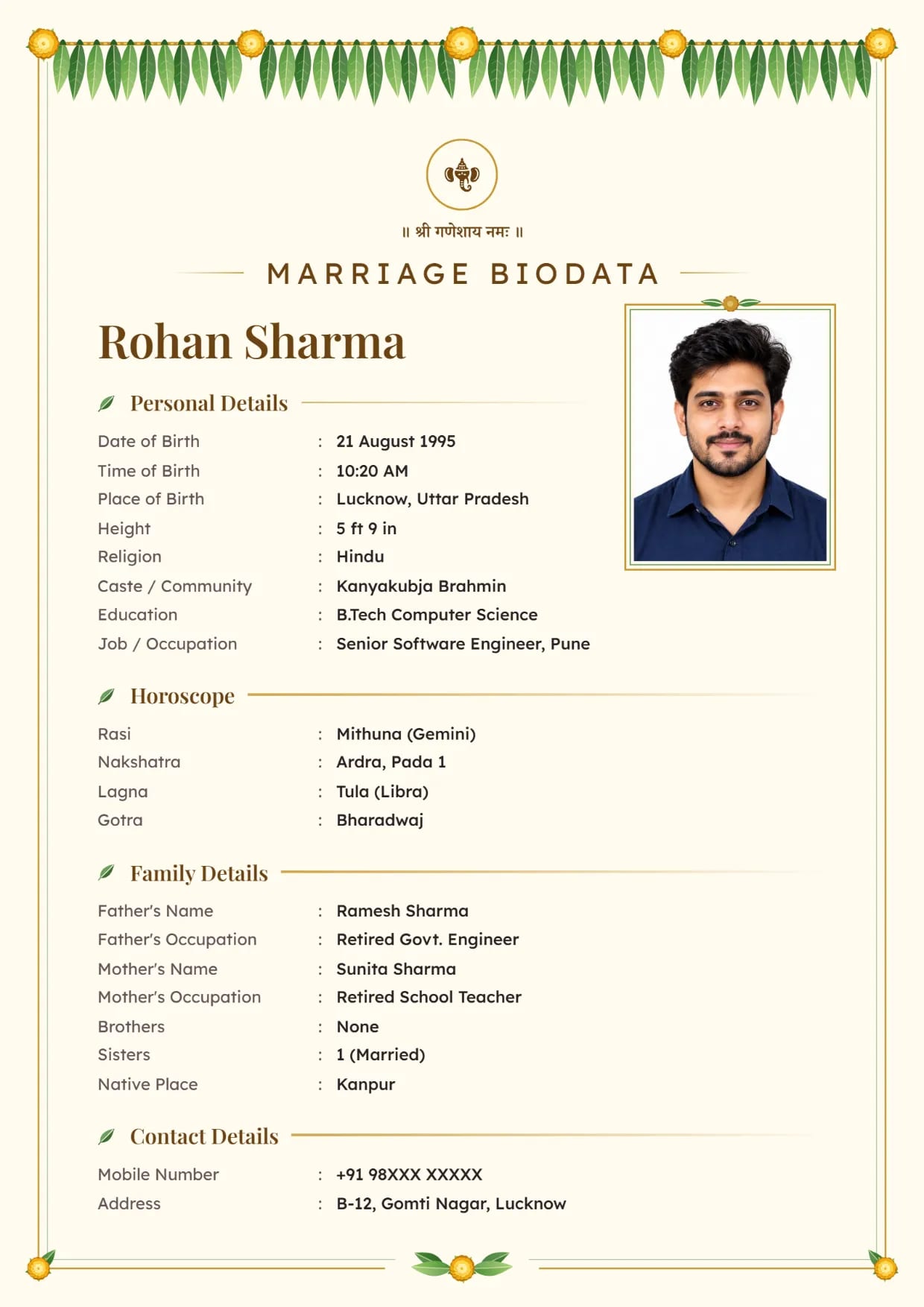
Mango Leaf, Sandal GoldBoy's biodata with Ganesh ji Use This Design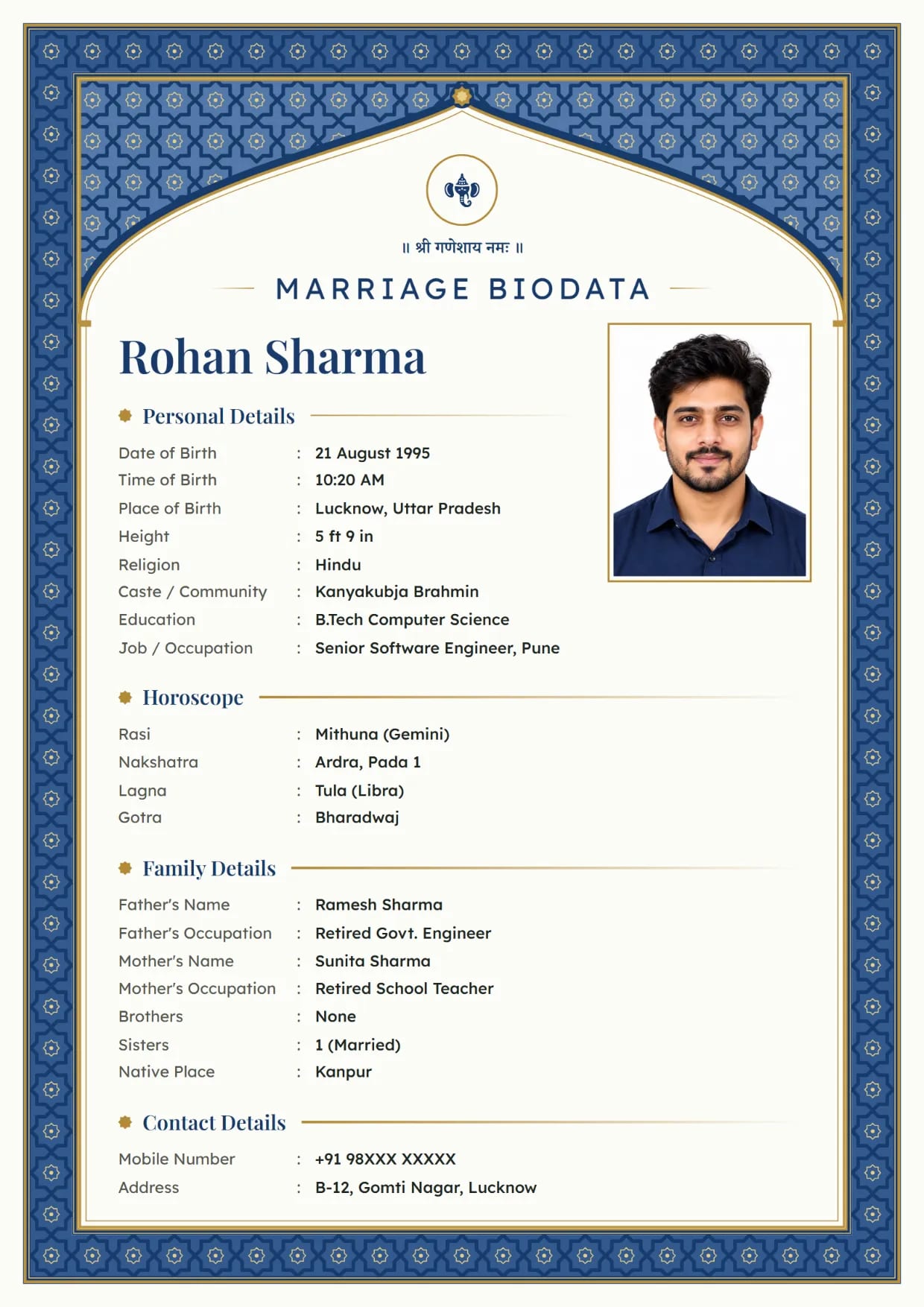
Mughal Jali, SapphireBoy's biodata with Ganesh ji Use This Design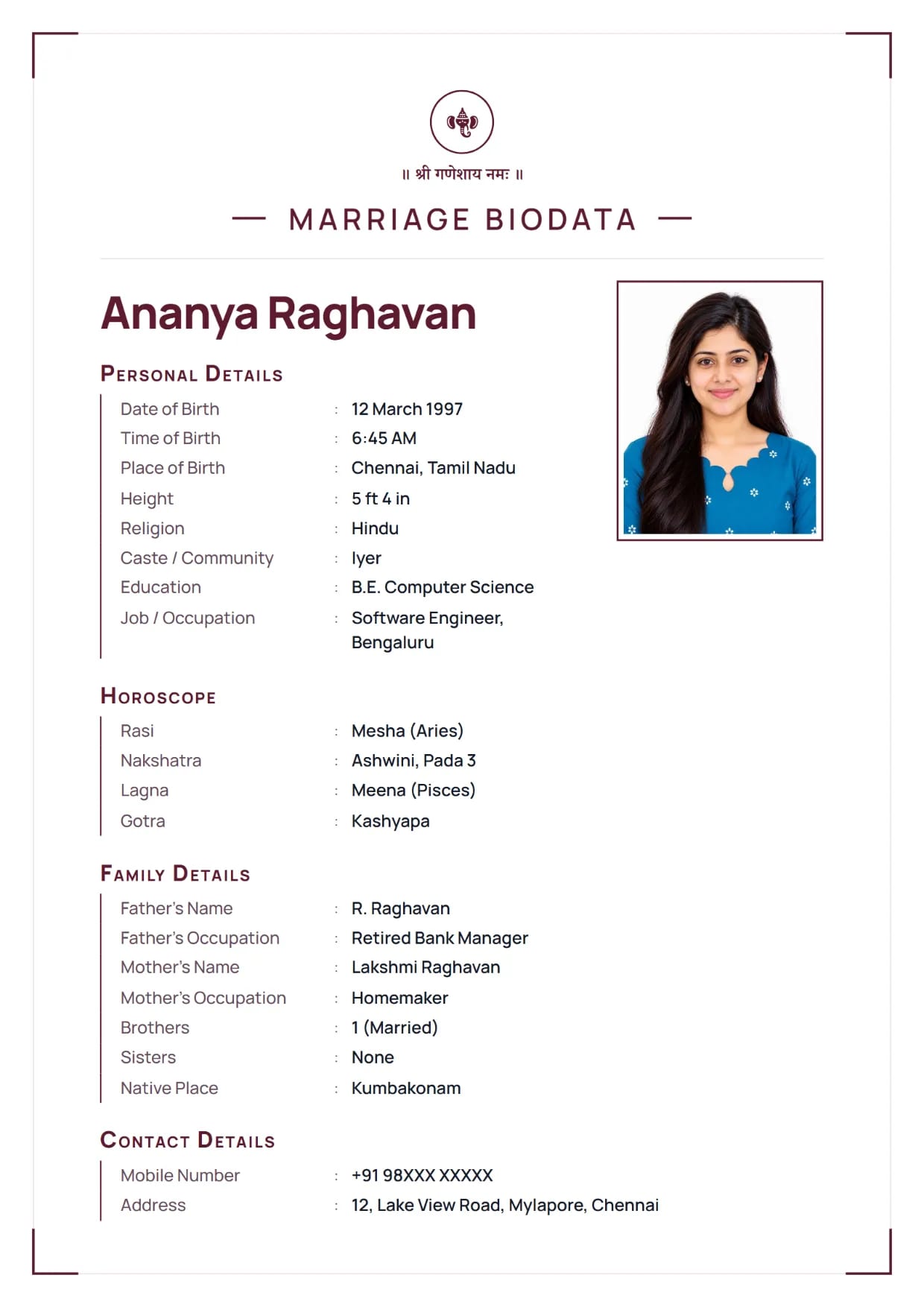
Navy Line, WineGirl's biodata with Ganesh ji Use This Design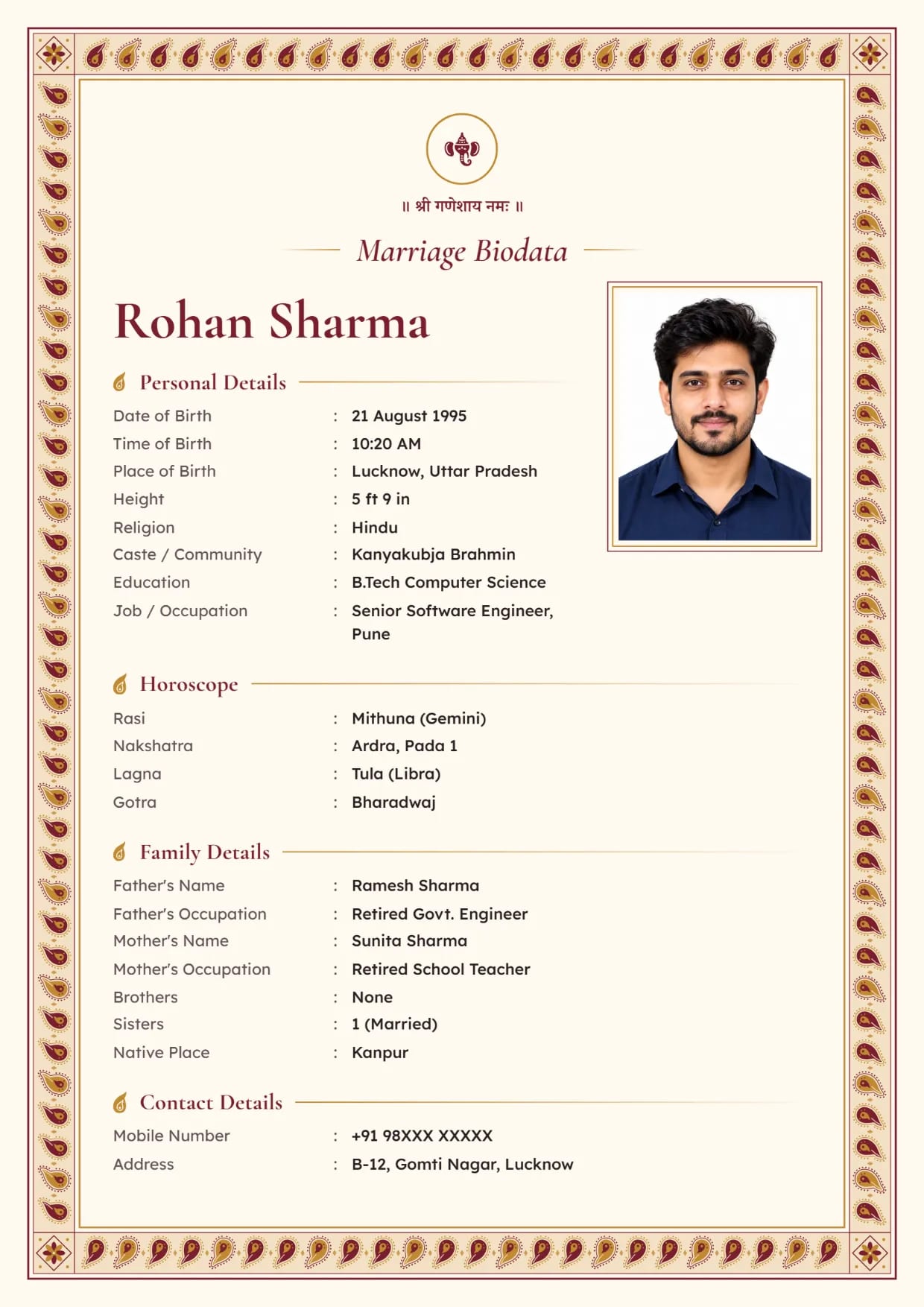
Paisley Border, Maroon GoldBoy's biodata with Ganesh ji Use This Design
Common Questions
Which Photo Is Best for a Marriage Biodata?
A recent, clear photo of the face and shoulders, in daylight, against a plain wall. Smile the way you normally would.
Can I Add More than One Photo to My Biodata?
No. Each biodata has one photo box. Send extra photos separately when a family asks for them.
Where Does the Photo Go on the Biodata?
At the top, near the name. Each design places it a little differently, so look at the preview after you choose a design. The size and the passport shape stay the same in every design.
Can I Change the Photo Later?
Yes. Open your saved biodata, go to Your Photo and tap Change Photo, then download again. Your biodata stays saved on your verified mobile number.
What Kind of Photo File Can I Upload?
A JPG or PNG photo from your phone gallery. A photo from WhatsApp works too, but it is usually smaller and less sharp than the original from the camera.
Is It Safe to Put My Photo on a Biodata?
The photo goes wherever the biodata goes, and you cannot call it back. Send it to families you know about, and use a biodata without photo for big groups if that worries you.
Related Pages
Ready to Make Yours?
Pick a design, fill in your details and download your biodata as a PDF or an image. Free to make.