
Marriage Biodata Format in Word, Ready to Edit
Yes, you can have your marriage biodata format in Word. Fill in your details here, download the PDF or the JPG image, and the next screen offers an editable Word document (.docx) of the same biodata, free. It opens in Microsoft Word, so you can change a line yourself before printing.
How to Get the Word File
The Word file is not a separate download on the first screen. It comes after your biodata is made, as a second file.
- Pick a design and type the details: personal, horoscope, family and contact.
- Verify your mobile number with the SMS code. This is needed only once.
- Tap Download PDF or Download Image.
- On the "Your Biodata Is Ready" screen, tap Download Word File.
The file is saved with the person's name, for example Ananya-Raghavan-Biodata.docx, so it is easy to find in the Downloads folder or on WhatsApp.
What the Word Document Looks Like
Do not expect a copy of the design picture. Word cannot hold those drawn borders and corner art the way a PDF does, so the Word file is a plain A4 page with a thin border in your design's colour.
At the top you get the God symbol, the blessing line and the title, then the name in large letters and the photo on the right. Each section follows as rows of "Label : Value". Fonts and spacing may differ a little from the PDF, which is why the PDF stays the better file to send to families.
Most biodatas fit on one Word page. A very long one can run to a second page, the same as its PDF would.
Editing the Word File Without Breaking It
Each section is a table with its lines hidden. That keeps the colons in one straight column, as long as you type inside the boxes.
| To do this | Do this in Word |
|---|---|
| Change a detail | Click on the value after the colon and type over it |
| Add one more row | Click in the last row, then Layout, Insert Below |
| Remove a row | Click in it, then Layout, Delete, Delete Rows |
| Change the photo | Right click the photo, Change Picture, From a File |
| See the full page | Press Ctrl and P to open the print preview |
Avoid pressing Enter again and again to make space. Every empty line pushes the contact details down, and a one-page biodata becomes two without you noticing.
For a bigger change, like a new job or a different design, edit the biodata here instead and download again. The design stays as it is that way, and you get a fresh Word file with it.
Printing It from Word
Open File, Print and pick A4 paper. Keep the scale at 100%. Shops sometimes print Word files on Letter size by mistake, and then the bottom row gets cut.
If the print shop computer shows strange letters in a Hindi or Tamil biodata, the shop is missing the font. Carry the PDF along on the same phone and ask them to print that instead. A PDF keeps its fonts inside, so nothing changes from shop to shop.
When a Family Asks for "the Word File"
Some marriage bureaus and older relatives still ask for a Word file, because that is what they could edit years ago. Send the PDF to families who only need to read it. Keep the Word file for the bureau that wants to retype or reformat it, or for yourself.
Once a Word file is forwarded, anyone can change the details in it. That is one more reason to send the PDF to strangers.
Marriage biodata Word files, as they open in Word
Tap a sample to see it full size. The names and details on them are made up.
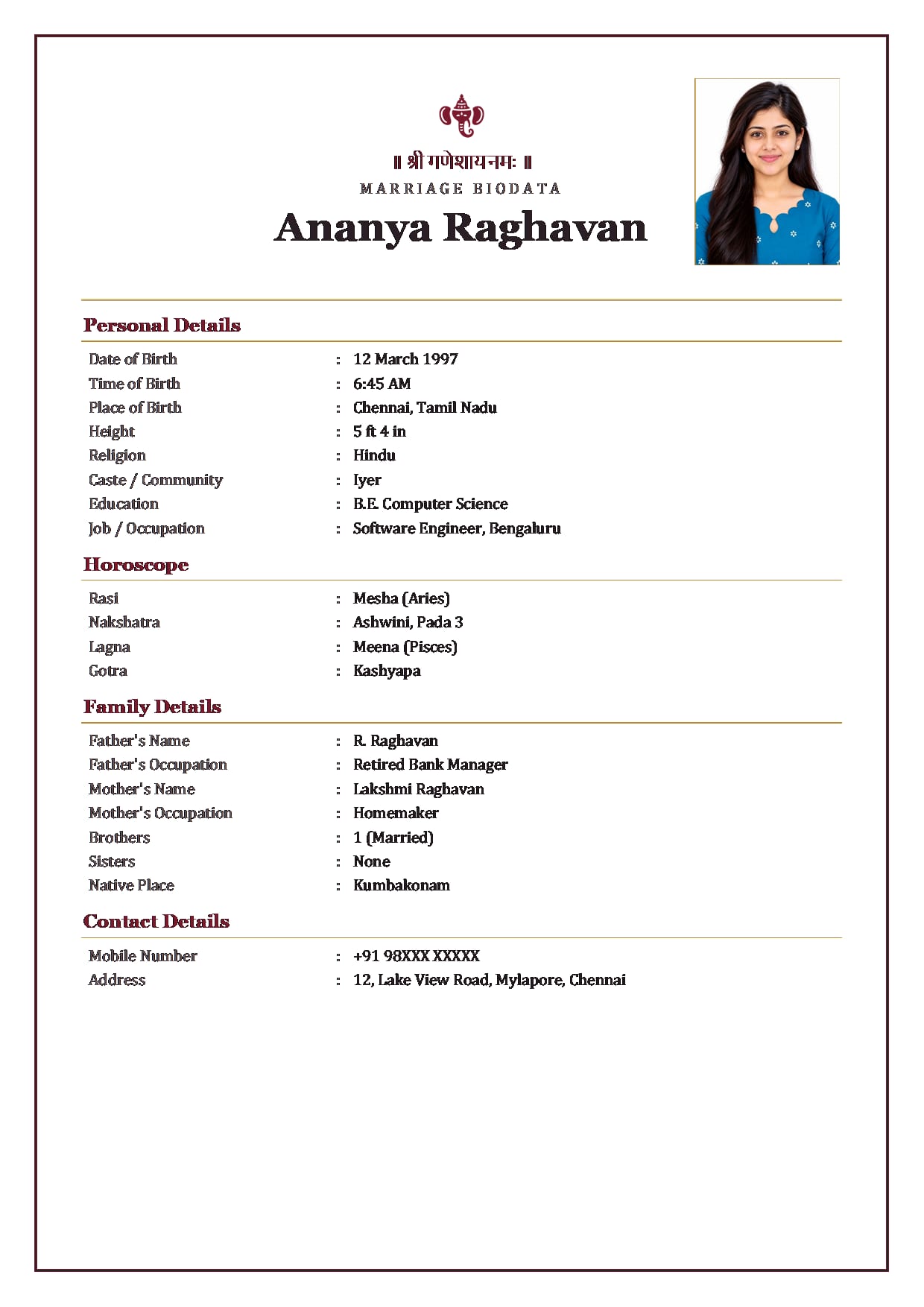
Temple Bell colours, Maroon BrassGirl's Word file with Ganesh ji Use This Design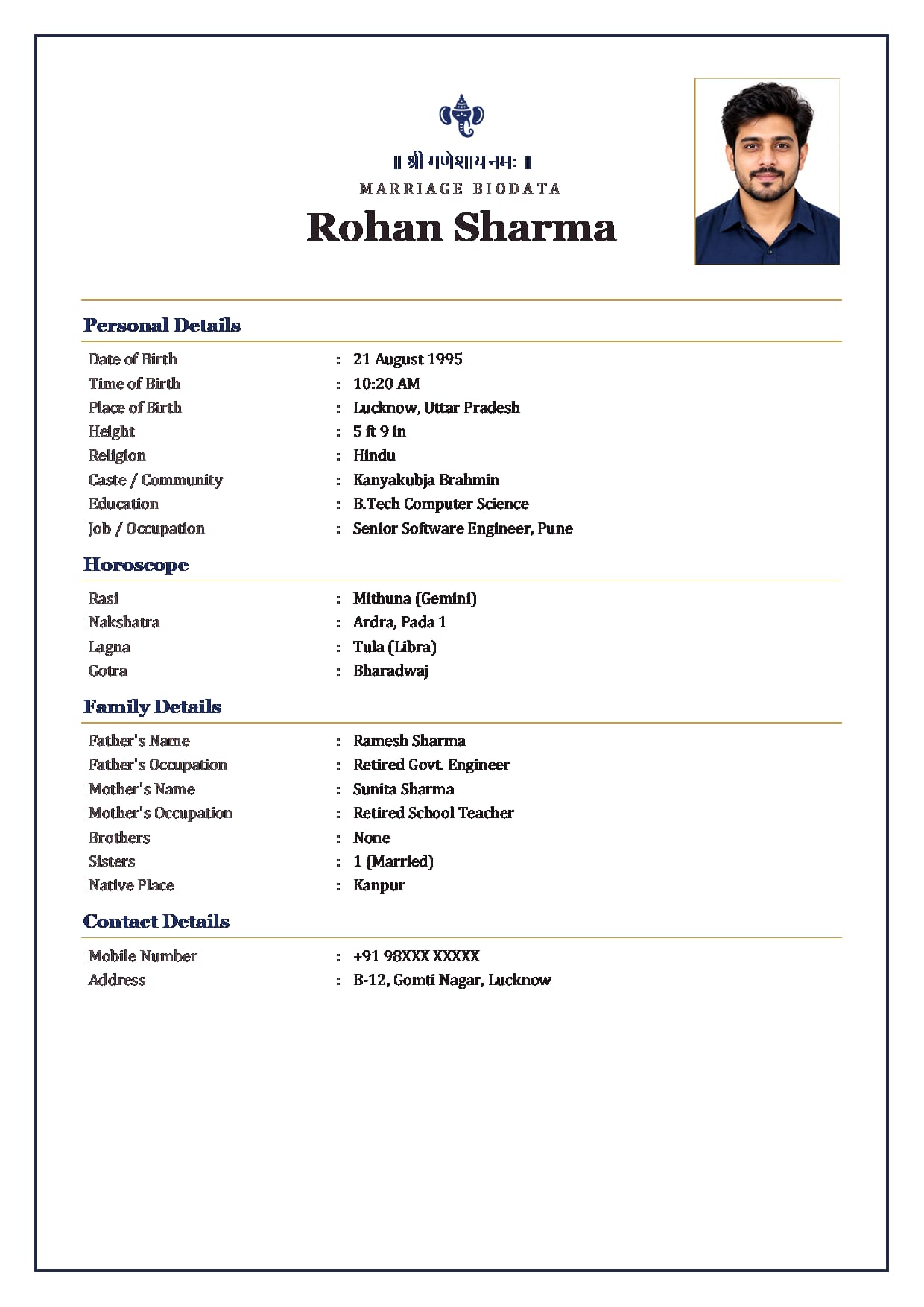
Royal Maroon colours, NavyBoy's Word file with Ganesh ji Use This Design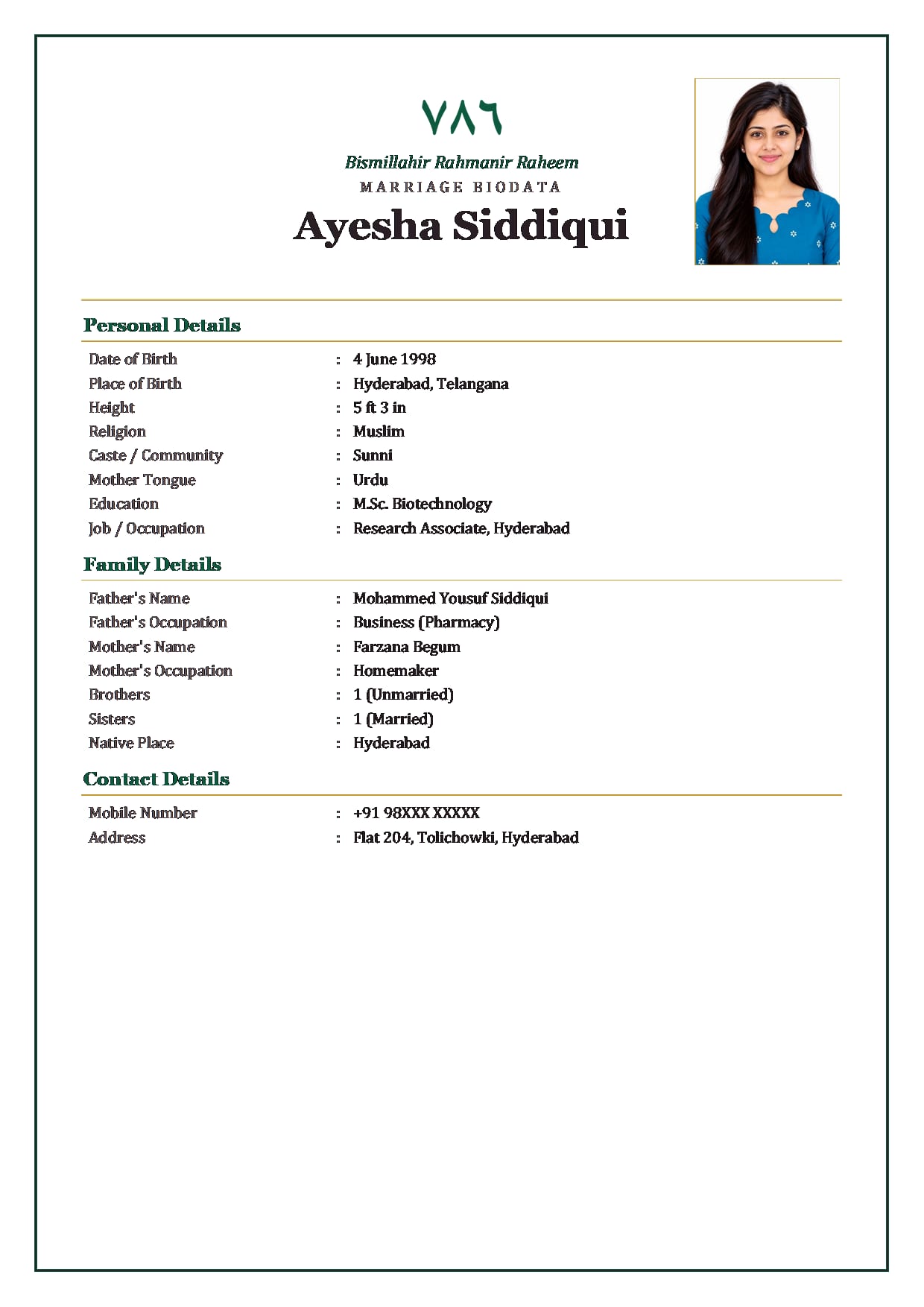
Emerald Arch colours, EmeraldMuslim girl's Word file with 786 and Bismillah Use This Design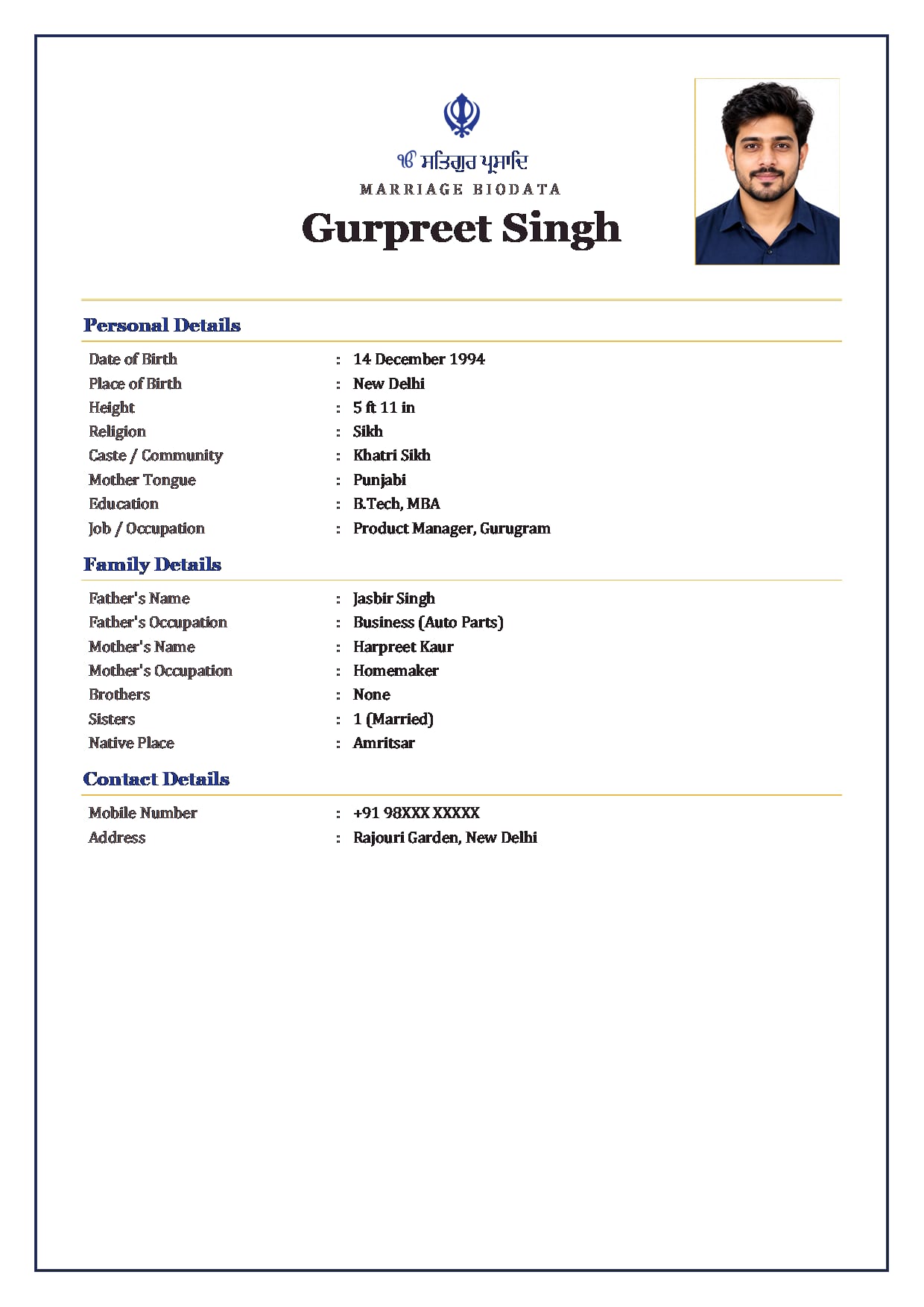
Classic Band colours, Royal BlueSikh boy's Word file with the Khanda and Ik Onkar Use This Design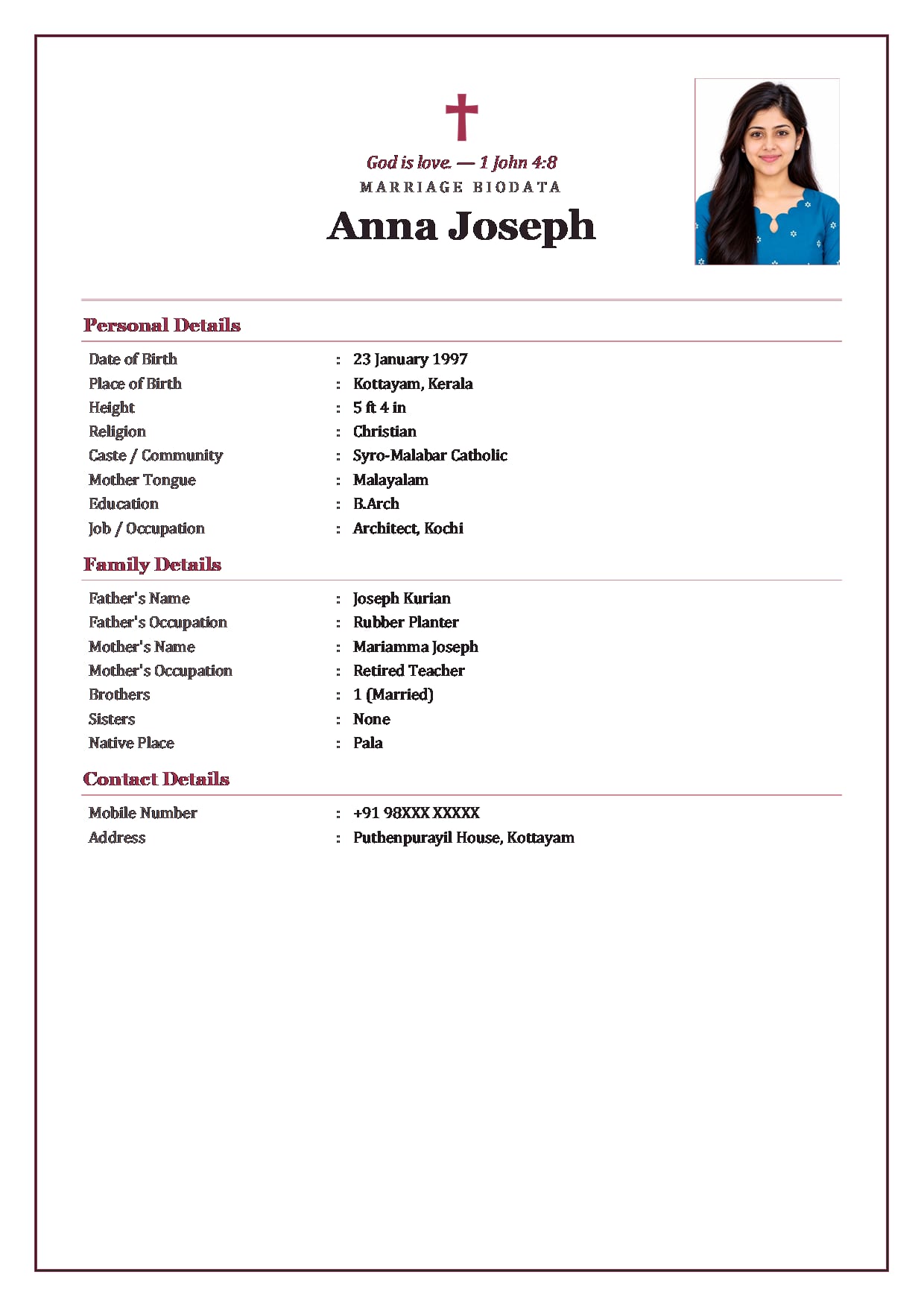
Rose Garden colours, BlushChristian girl's Word file with a cross and a Bible verse Use This Design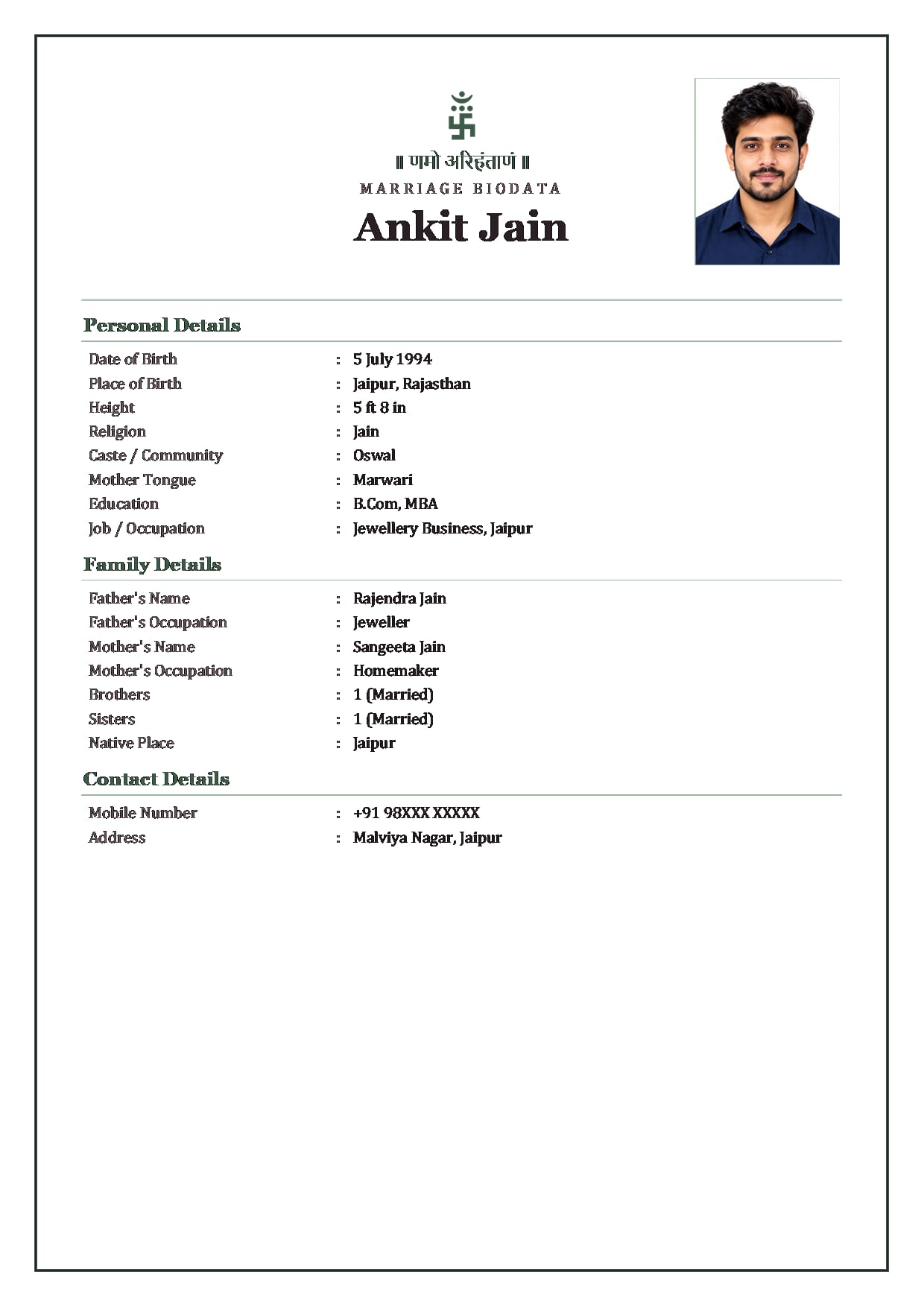
Sage Soft colours, SageJain boy's Word file with Namo Arihantanam Use This Design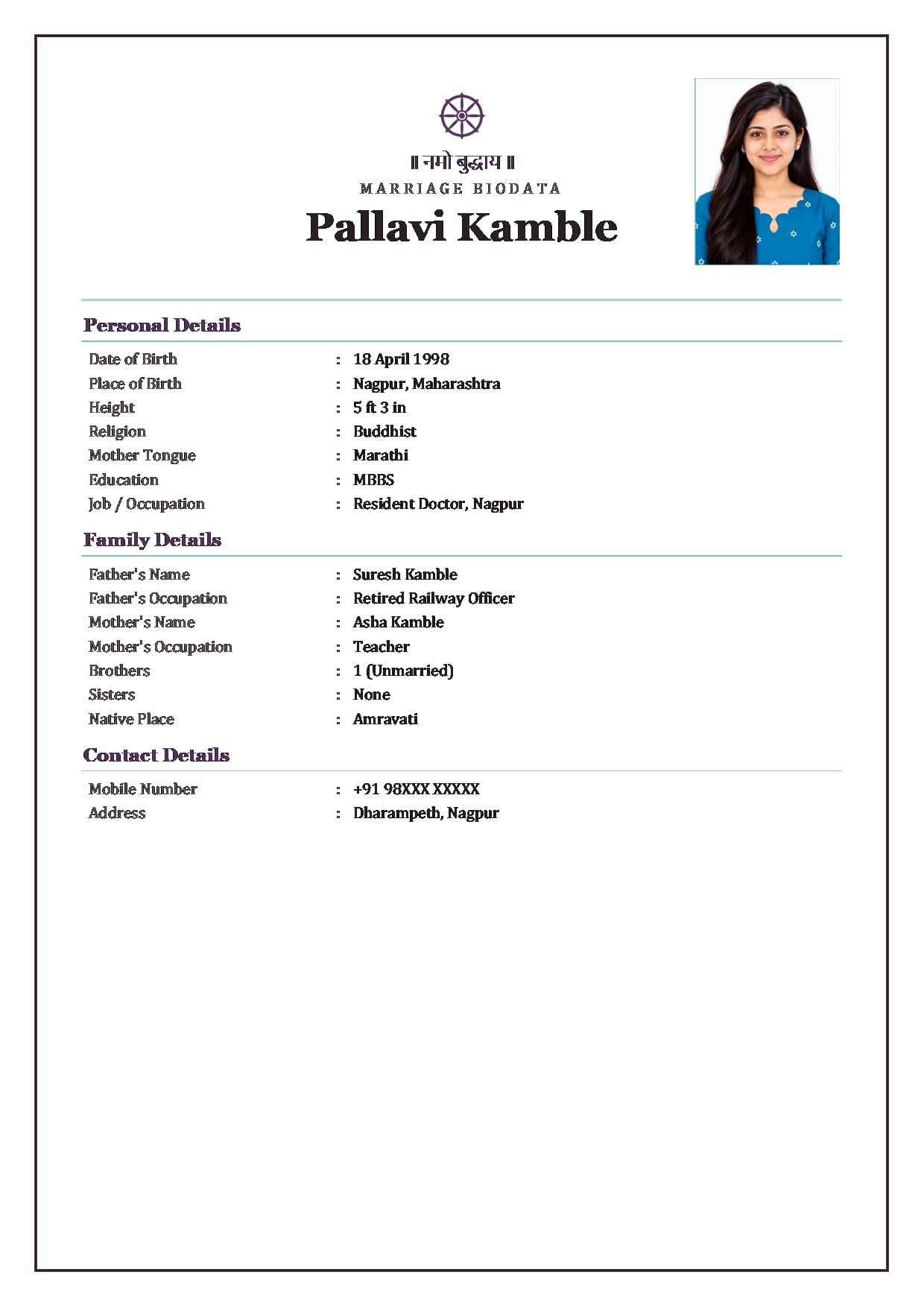
Lotus Line colours, Plum MintBuddhist girl's Word file with the Dharma wheel Use This Design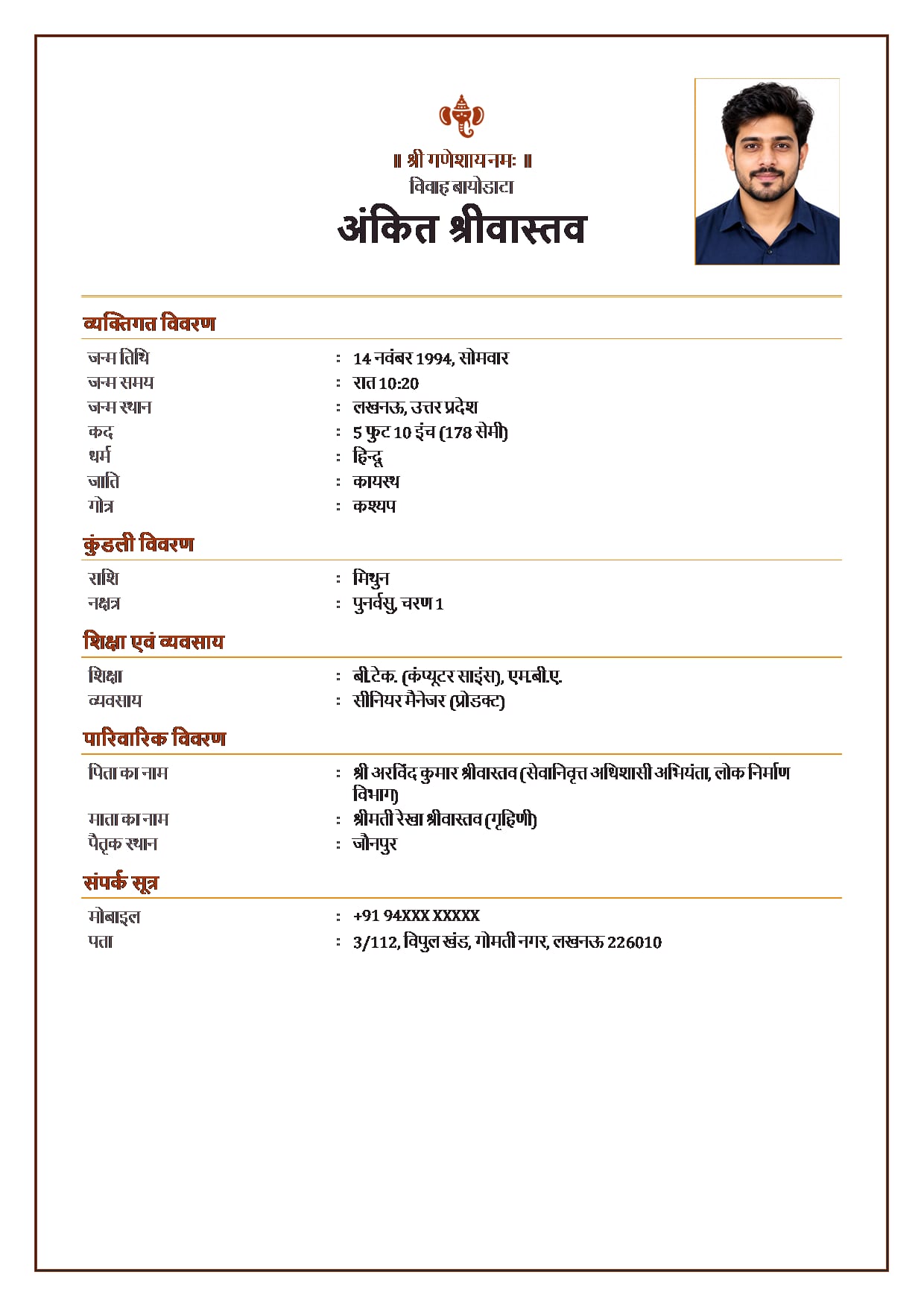
Marigold Toran colours, SaffronBoy's Word file in Hindi, with Ganesh ji Use This Design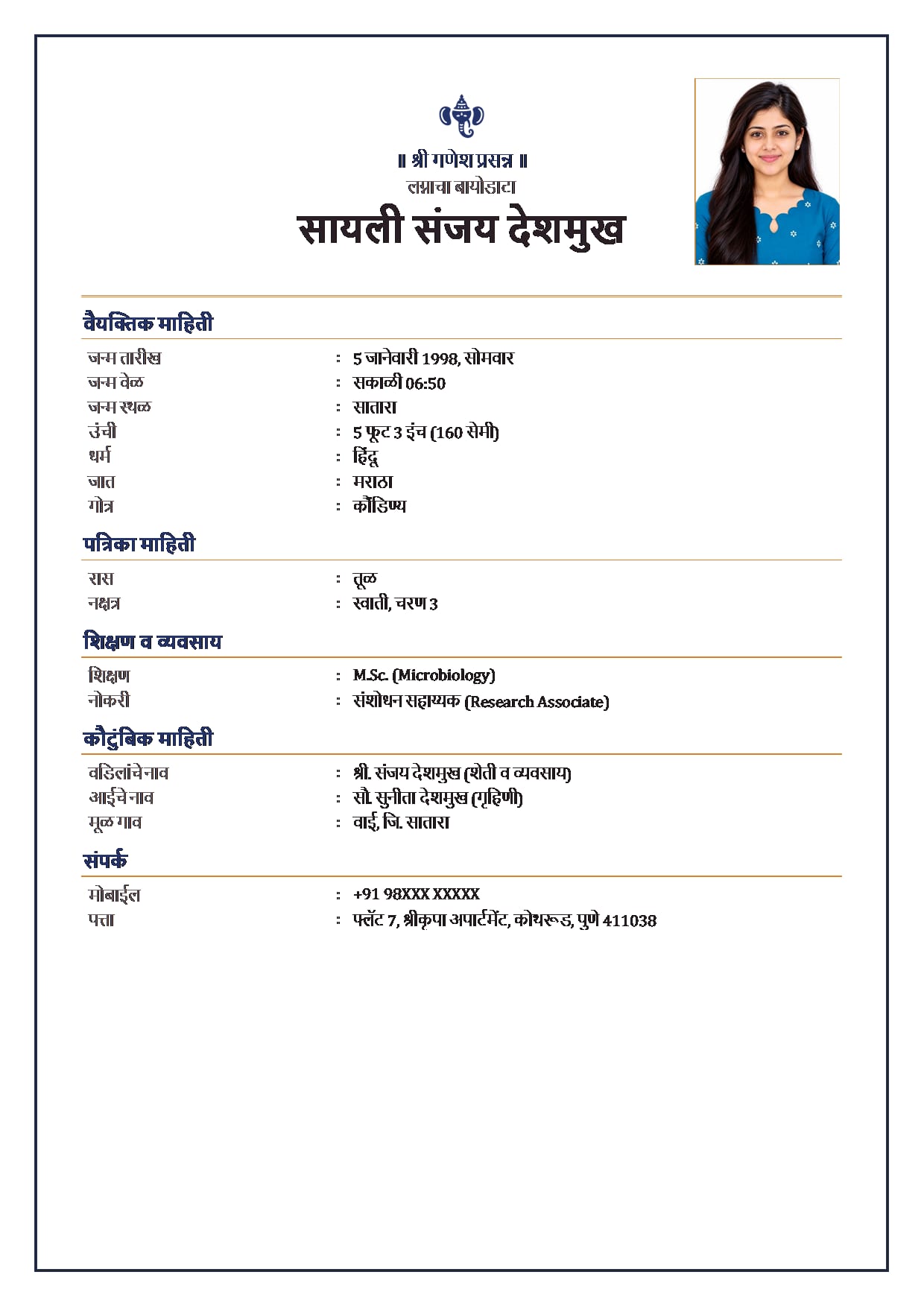
Paisley Border colours, Indigo SaffronGirl's Word file in Marathi, with Ganesh ji Use This Design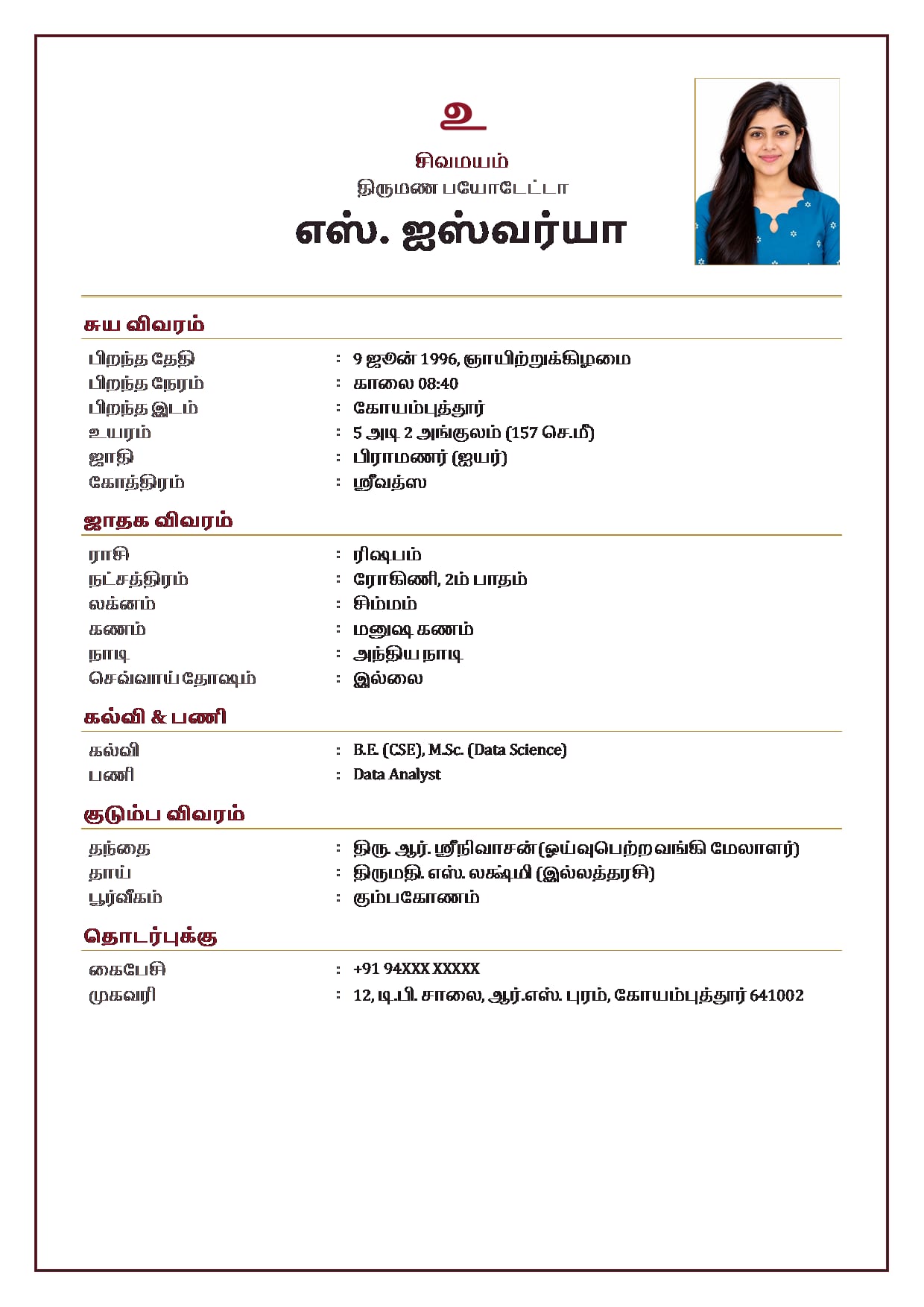
Kanjivaram Zari colours, Kumkum RedGirl's Word file in Tamil, horoscope details (rasi, nakshatra, lagna) printed as text Use This Design
Common Questions
Is the Word File Free?
Yes. It comes free with the same mobile verification as the PDF and image. A free Word file has a small footer that reads "Made free at hellobiodata.com". Biodata Plus removes that footer, and the same line from the PDF and image too.
Can I Download Only the Word File?
No. The Download Word File button shows after a PDF or image download, on the same done screen. Download either one first, then take the Word file.
Will the Word File Look Exactly Like the PDF?
No. The Word document keeps your details, photo, symbol and the design's colour, but it is a simpler page. The decorative border of the design is only in the PDF and the image.
Which App Opens the Word File?
Microsoft Word. On a computer it opens in Word directly. On a phone, install the Microsoft Word app and open the .docx file from Downloads or from WhatsApp.
Is There a Blank Word Format to Fill by Hand?
No. Our Word file comes already filled with your details. If you want an empty form to write on, copy the field list from our blank biodata format page.
Can I Get the Word File in Hindi, Marathi or Tamil?
Yes. The Word file prints in the biodata language you chose, any of our 12 languages. Hindi, Marathi and Tamil letters show correctly in Word on Windows 10 and 11.
Related Pages
Ready to Make Yours?
Pick a design, fill in your details and download your biodata as a PDF or an image. Free to make.