
Christian Biodata Format for Marriage
A Christian marriage biodata has the usual personal, family and contact details, plus the church lines the other family looks for. That means the denomination, the parish and often the baptism name. There is no horoscope. On Hello Biodata, choosing Christian as the Religion puts the Cross at the top and turns the horoscope section off.
What Goes in a Christian Biodata for Marriage?
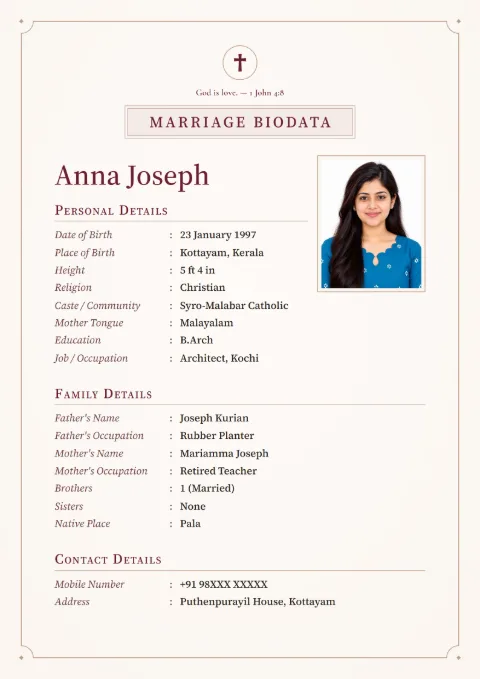
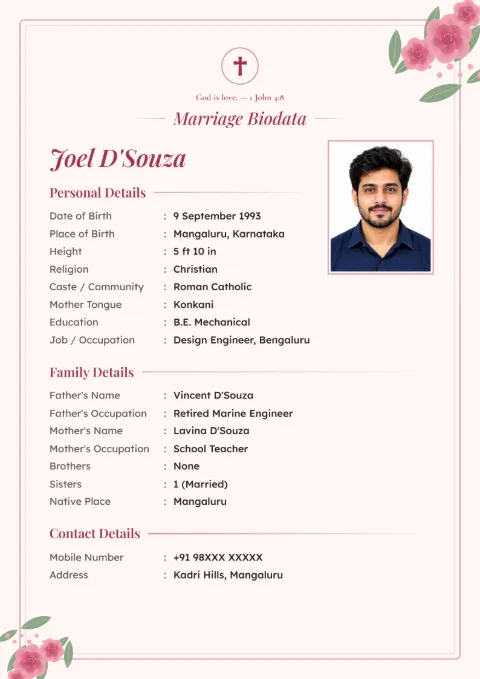
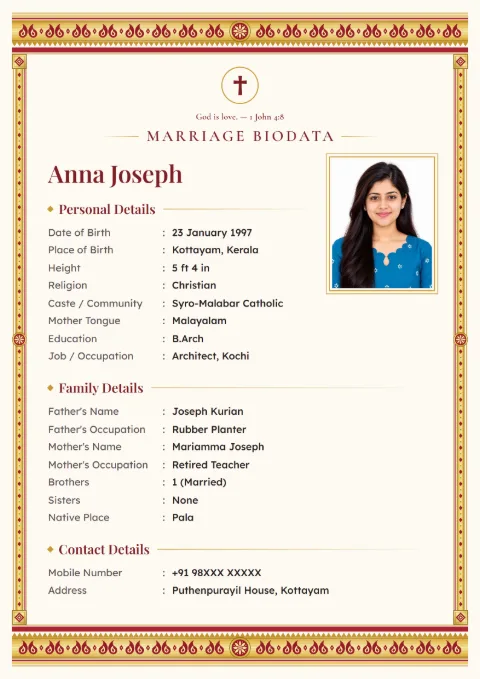
The first half of a Christian biodata for marriage looks like any other: name, date of birth, height, education, job and the parents' details. The second half is about the church. The other family wants to know the denomination, which parish you belong to, and sometimes which diocese.
Most families read the denomination line first. A Syro-Malabar family in Kottayam and a CSI family in Chennai both write "Christian" as the religion, but they will look at that one line to see if the families can go ahead.
There are no rasi, nakshatra or manglik lines. When you pick Christian as the Religion in our form, the horoscope section switches off by itself, so nothing about stars prints.
How to Write the Denomination
Write it the way your church writes it on its own papers. Short is fine, but be exact. "Catholic" alone leaves a Kerala family asking: Latin, Syro-Malabar or Syro-Malankara?
| How the family belongs | What to write |
|---|---|
| Roman Catholic, Latin rite | Roman Catholic (Latin) |
| Syro-Malabar Catholic | Syro-Malabar Catholic |
| Syro-Malankara Catholic | Syro-Malankara Catholic |
| Malankara Orthodox or Jacobite | Malankara Orthodox Syrian, or Jacobite Syrian |
| Mar Thoma | Mar Thoma Syrian |
| Church of South India | CSI |
| Church of North India | CNI |
| Pentecostal, Baptist or Methodist | The church's own name, such as IPC or Methodist |
Our form has no separate denomination field. Type it in Caste / Community. Then open the row's three-dot menu, tap Rename and type "Denomination". The label prints the way you named it.
Some Protestant families are open to any Protestant church. If that is you, add one line at the end of About Me, such as "Open to proposals from any Protestant church". Catholic families who want a Catholic match usually write "Catholic preferred" in the same place.
Church, Parish and the Baptism Name
Open Add More Details in Personal Details and tap Church / Parish. Write the church and the town: "St. Mary's Church, Kuravilangad". If the diocese matters to your family, add it with Add Your Own Field, with Diocese as the field name.
The baptism name goes in brackets after the everyday name, only if it is different and people at church know you by it. For example, "Anju Thomas (Ancy)". Full Name takes up to 60 letters, so keep it to one extra name.
In Kerala the house name tells elders which family you are from. Add it as your own field in Family Details, named House Name, or write it with the native place: "Puthenpurackal, Pala".
A Filled Christian Marriage Biodata Format
The girl below is made up, and so are her parents and her parish entry. The phone number is masked.
| Field | Entry |
|---|---|
| Full Name | Anna Mariya Joseph |
| Date of Birth | 9 November 1996 |
| Place of Birth | Pala, Kottayam |
| Height | 5 ft 4 in |
| Religion | Christian |
| Denomination (renamed Caste / Community) | Syro-Malabar Catholic |
| Church / Parish | St. Mary's Church, Kuravilangad |
| Education | B.Sc Nursing |
| Job / Occupation | Staff Nurse, private hospital, Bengaluru |
| Father's Name | Joseph Thomas |
| Father's Occupation | Rubber and pepper farmer |
| Mother's Name | Mary Joseph |
| Mother's Occupation | Teacher, St. Joseph's HSS |
| Brothers | 1 (married, Dubai) |
| Native Place | Kuravilangad, Kottayam |
| House Name (own field) | Puthenpurackal |
| Mobile Number | 98XXX XXXXX |
| About Me | Goes for Sunday Mass with the family and sings in the parish choir. Wants to keep working after marriage. Looking for a Syro-Malabar or Latin Catholic boy working in India or the Gulf. |
For a boy, the same table works. Add Annual Income from Add More Details, and write the job with the company and city. A line like "Software engineer, Infosys, Mysuru" says more than "IT job".
The Cross and the Verse at the Top
The Cross is the symbol for a Christian biodata. It comes in by itself when you choose Christian as the Religion, and you can switch it off if you want a plain top.
Under the symbol there is a Blessing Line. For Christian families it offers one verse, "God is love." from 1 John 4:8 in the King James Version. On an English biodata the Blessing Line starts switched off, so turn it on if you want the verse to print.
If your family likes a different verse, choose Write My Own and type it with the reference. Three short verses from the King James Version that fit a biodata:
- "Two are better than one." Ecclesiastes 4:9
- "Whoso findeth a wife findeth a good thing." Proverbs 18:22, for a boy's biodata
- "The Lord is my shepherd." Psalm 23:1
Some families in Tamil Nadu and Andhra simply write "Praise the Lord" at the top. That works too, with Write My Own.
Christian Biodata for a Boy or a Girl
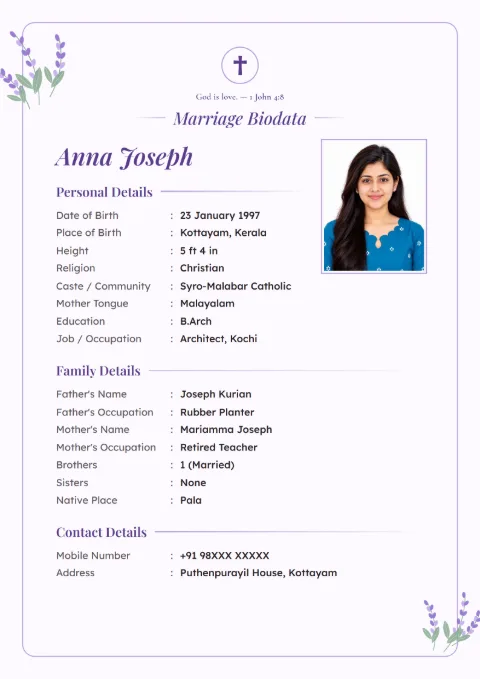
Searches for a Christian marriage biodata format for a boy usually want the job and income wording. Write the post and the company with the city, then the yearly income if the family is comfortable sharing it. "₹9 lakh a year" is enough.
For a girl, many families put the father or a brother as Contact Person, with his Mobile Number, and keep the address to the area and city. Her photo is the family's choice. Every design has one passport-size photo box.
A divorced or widowed person can add Marital Status from Add More Details. If there are children, add one plain line in About Me.
Malayalam, Tamil or English?
Many Christian families write the biodata in English, because it often goes to relatives abroad. You can also print the labels in Malayalam, Tamil or any of the 12 languages. Type your details in English and choose the print language. The verse stays as you typed it.
The Urdu list has its own version of the 1 John 4:8 verse, written in Urdu.
How to Make a Christian Biodata Here
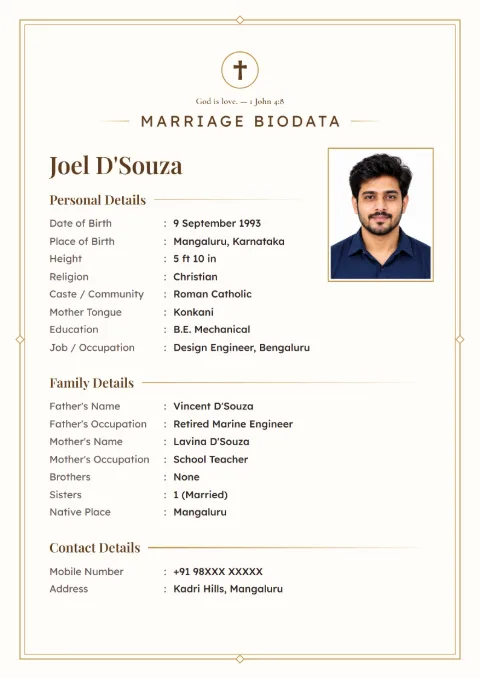
- Open the designs and tap the Christian filter. Linen Classic, Rose Garden, Lavender Bloom, Kasavu Gold and Ivory Line carry the Christian sample.
- Choose "This Biodata Is For: Male / Female" and type the Full Name.
- Verify your mobile number once with the SMS code.
- Fill Personal Details with Religion as Christian. Add Church / Parish, and type the denomination in Caste / Community.
- Fill Family Details and Contact Details, then preview.
- Download PDF or Download Image. After the download you can also save an editable Word file of the same biodata.
Parents writing for a son or daughter will find more on job and About Me wording in the girl's biodata guide and the boy's version. For the order of sections, see the marriage biodata format.
Christian marriage biodata samples
Tap a sample to see it full size. The names and details on them are made up.
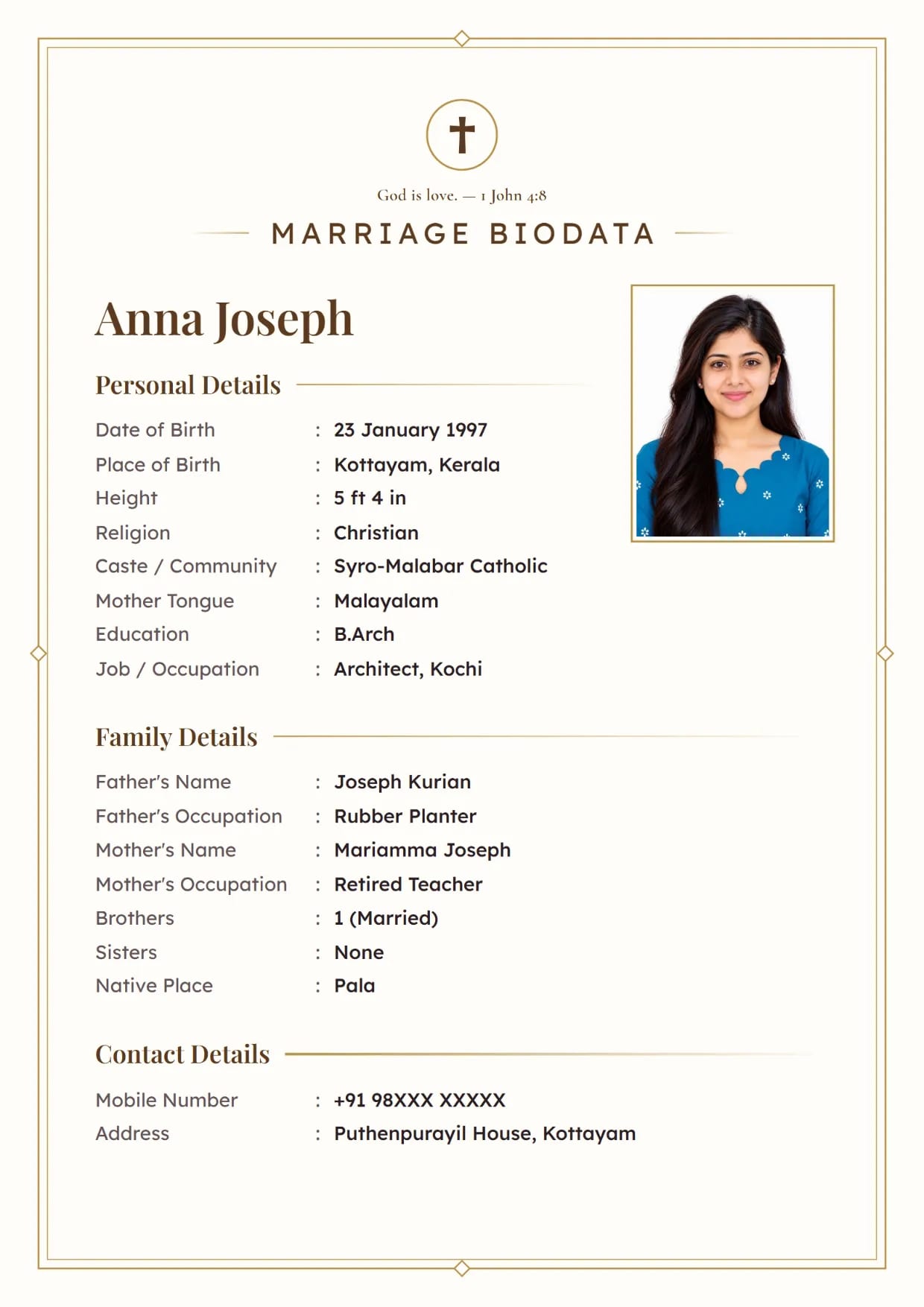
Ivory Line, GoldGirl's biodata with a cross and a Bible verse Use This Design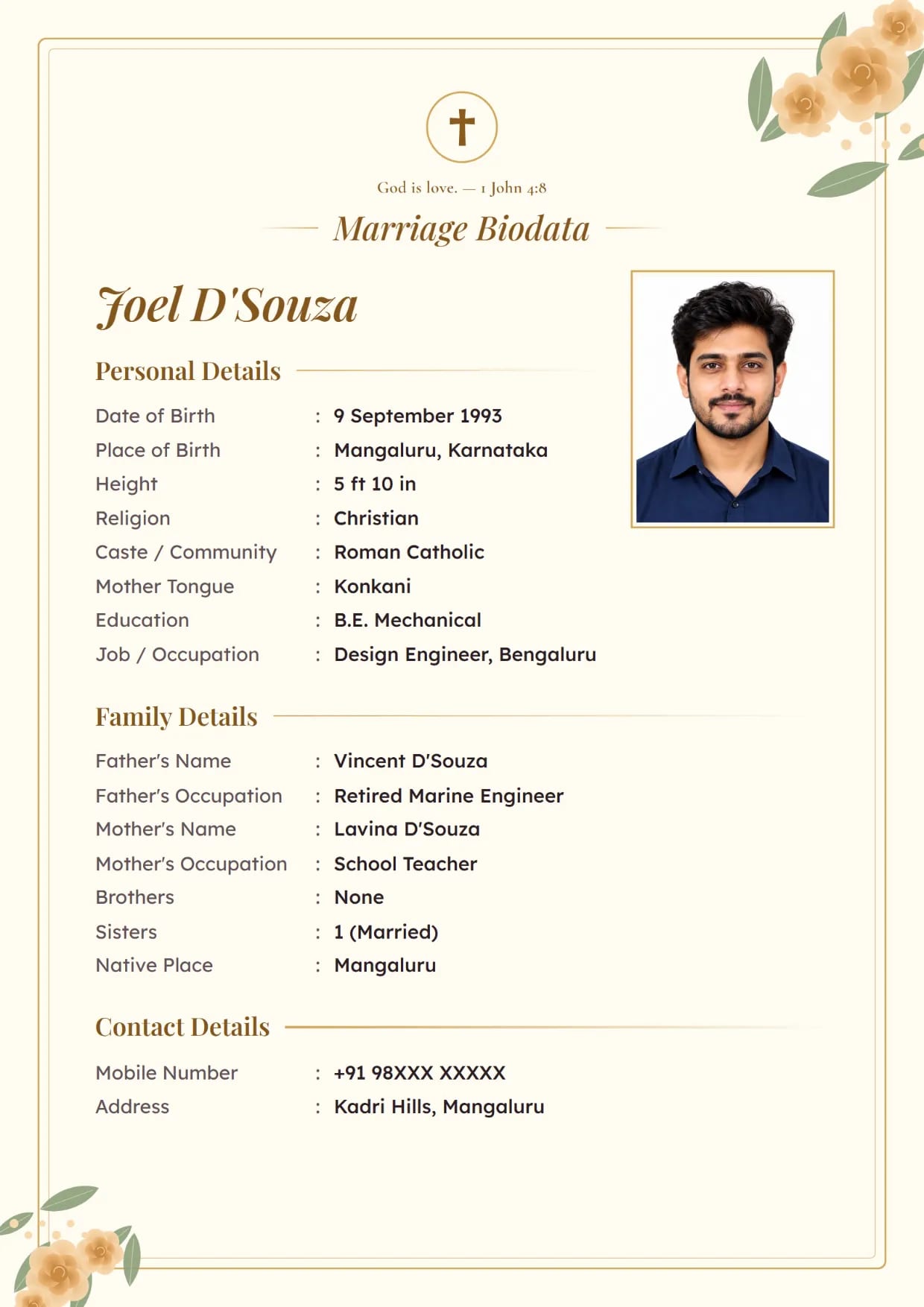
Rose Garden, Ivory GoldBoy's biodata with a cross and a Bible verse Use This Design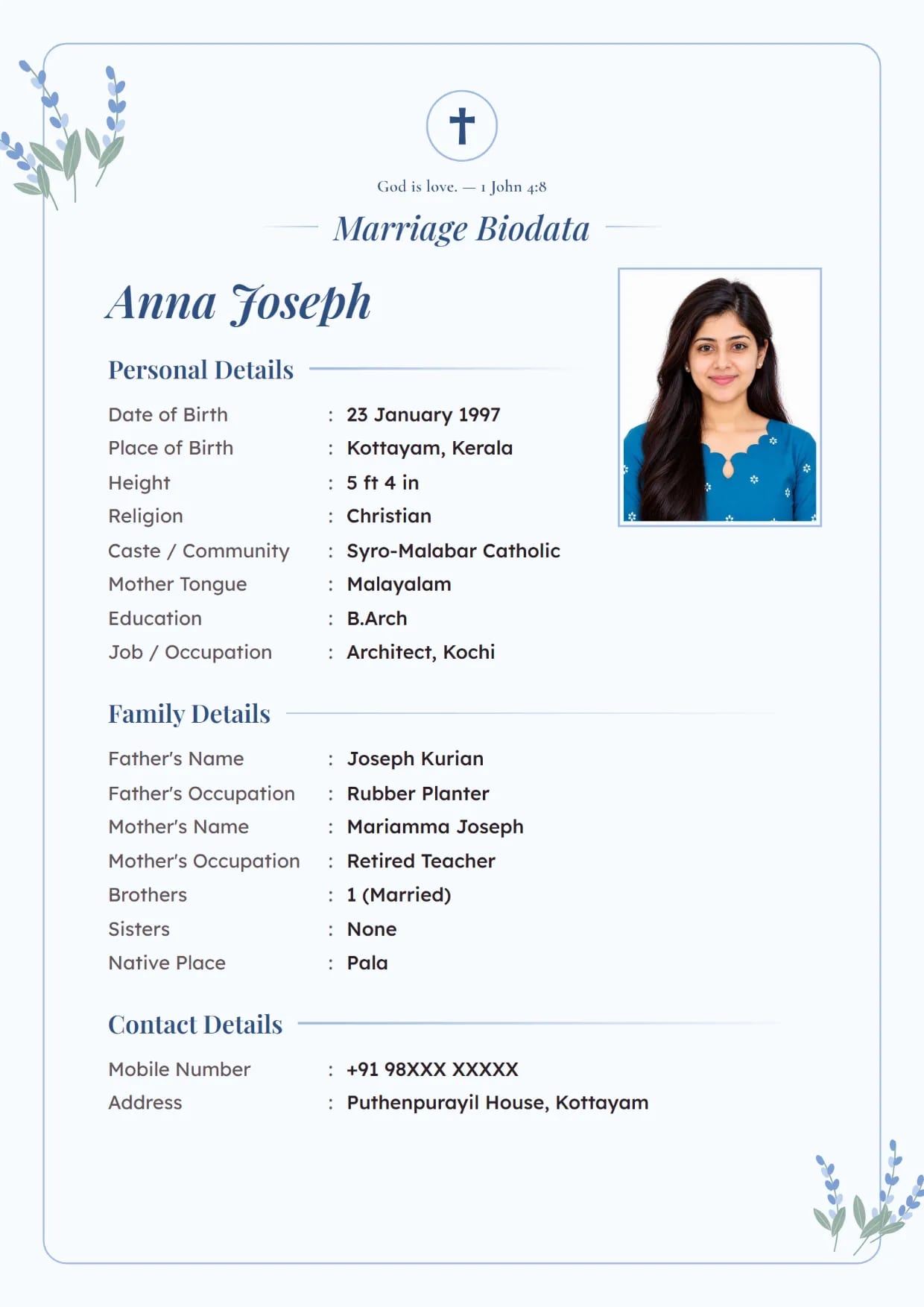
Lavender Bloom, Powder BlueGirl's biodata with a cross and a Bible verse Use This Design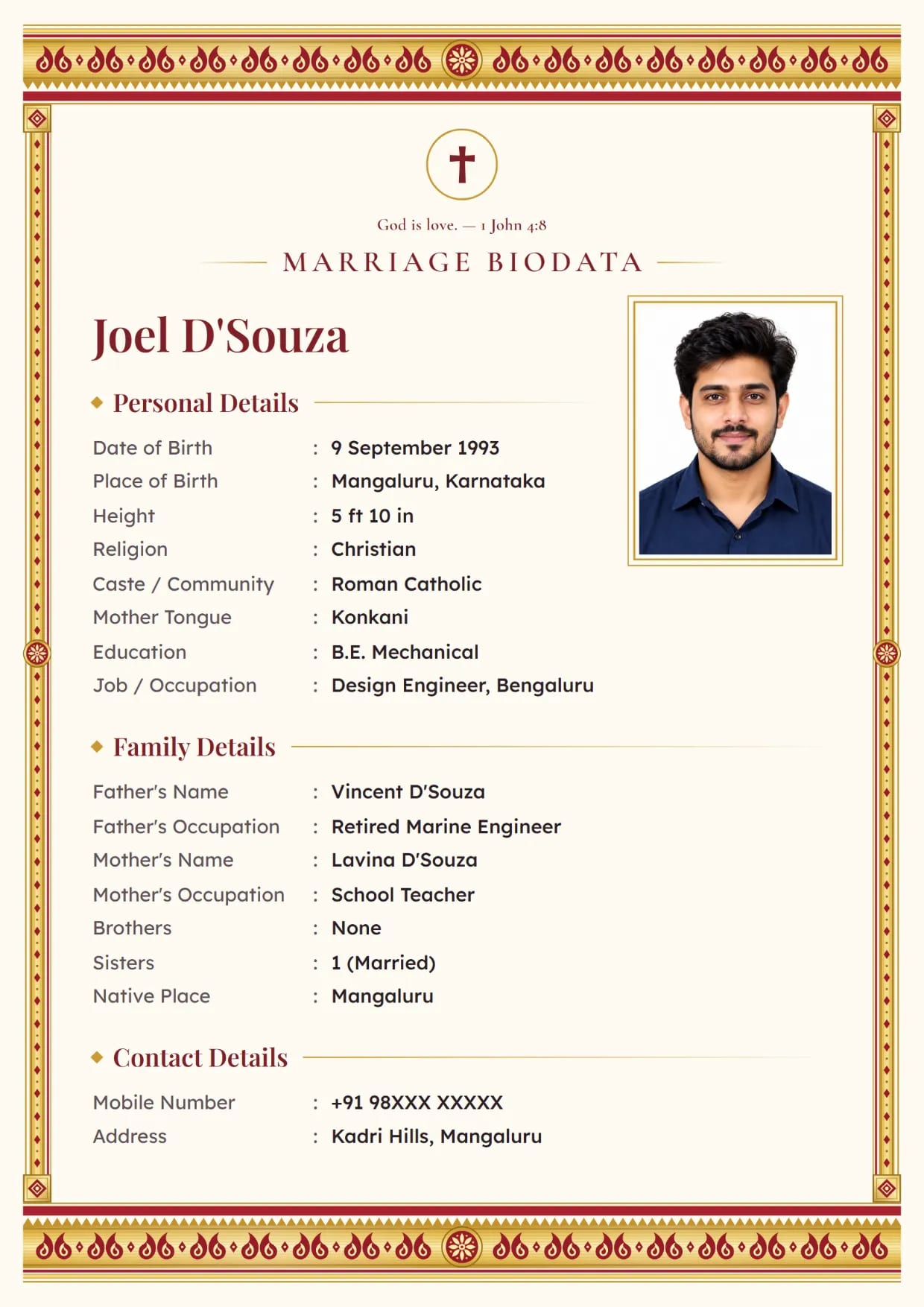
Kasavu Gold, Kumkum RedBoy's biodata with a cross and a Bible verse Use This Design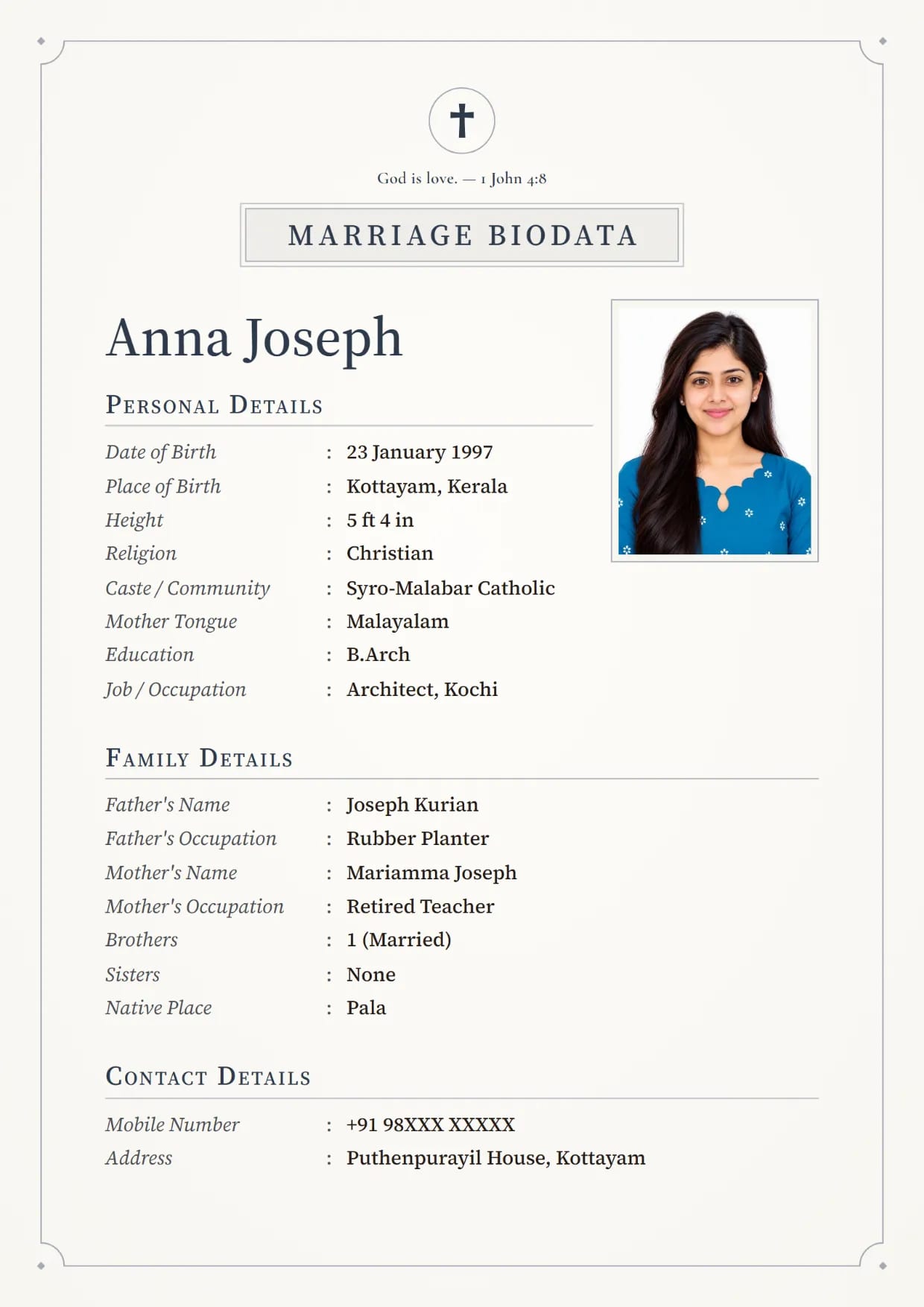
Linen Classic, SlateGirl's biodata with a cross and a Bible verse Use This Design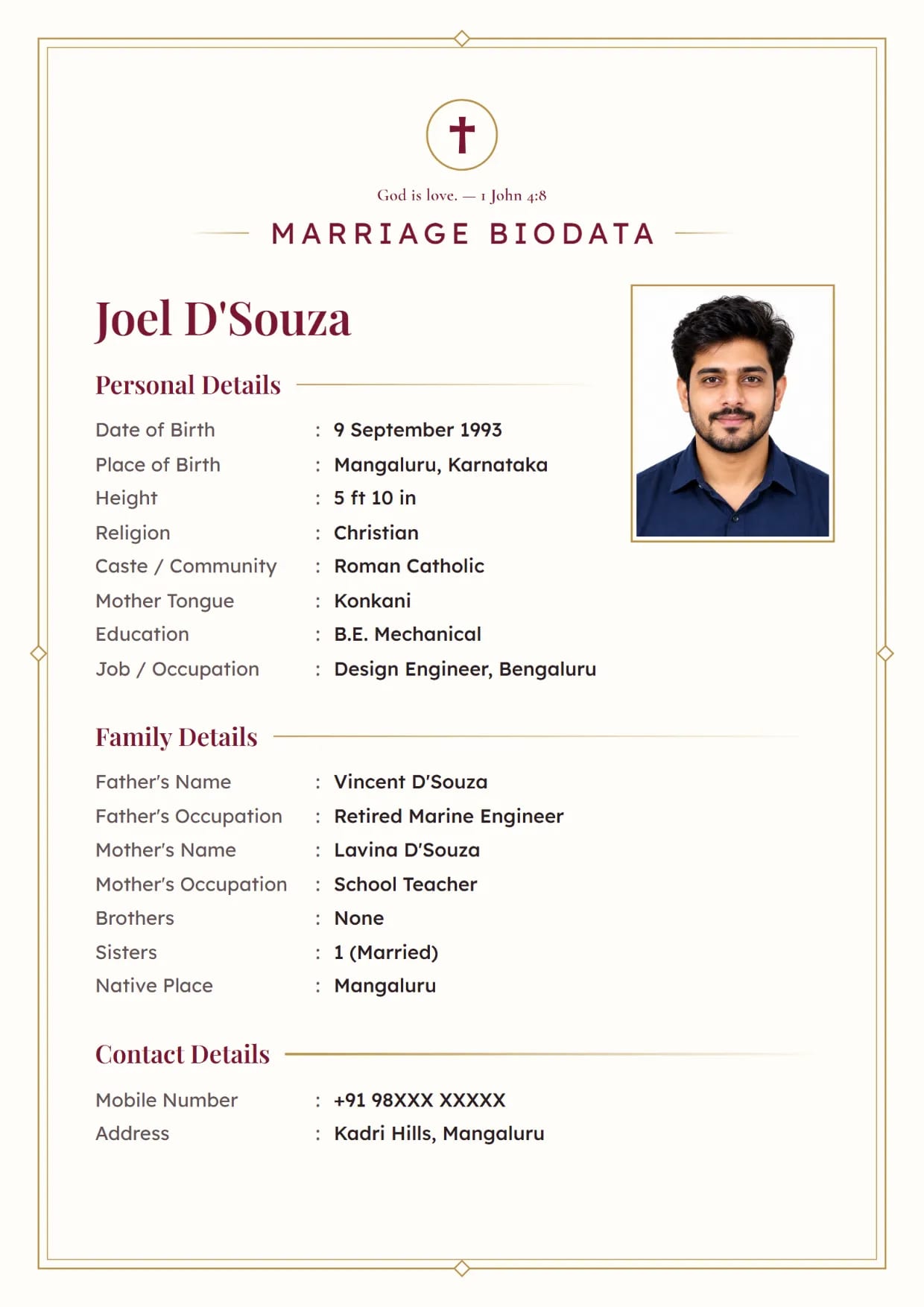
Ivory Line, MaroonBoy's biodata with a cross and a Bible verse Use This Design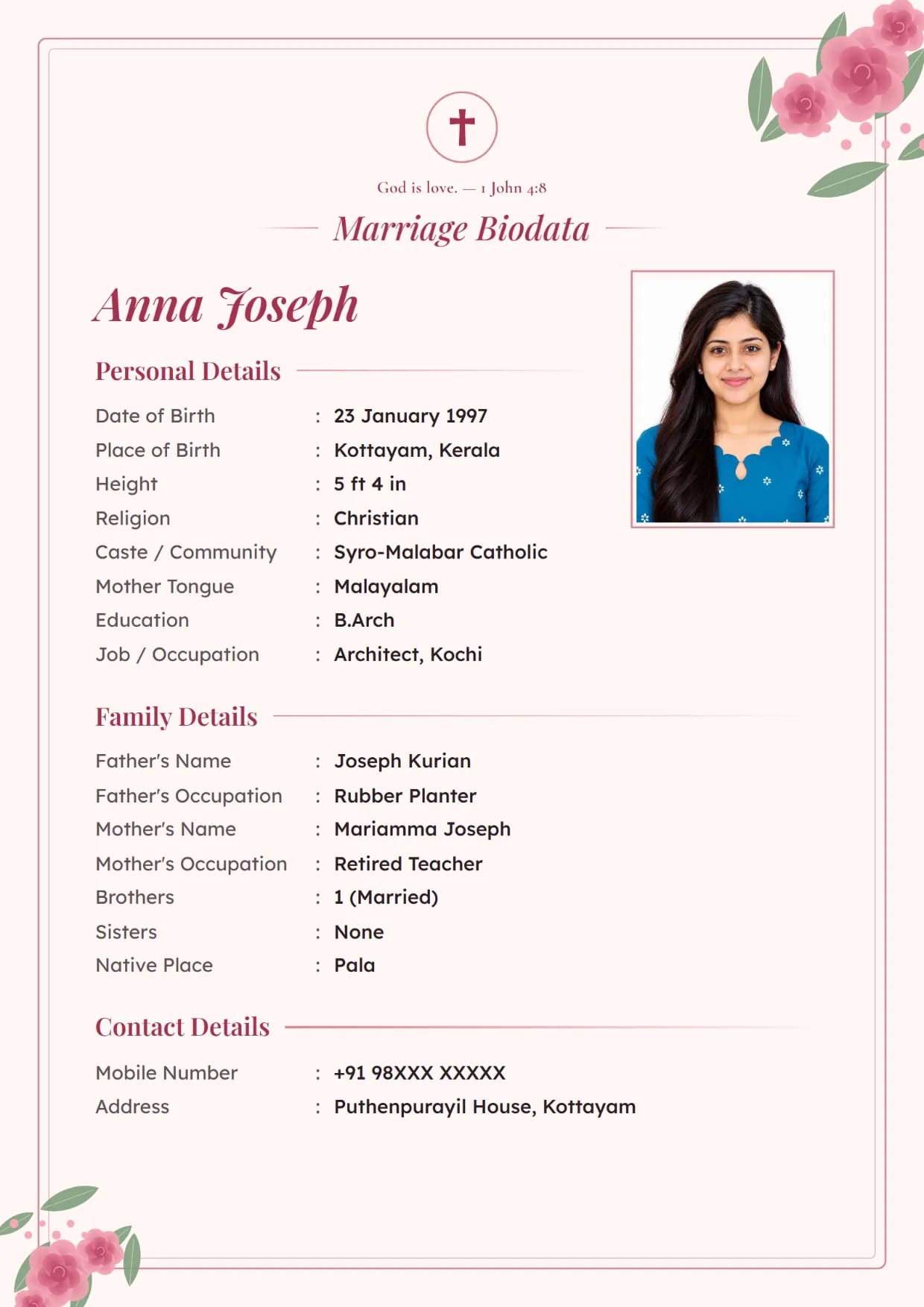
Rose Garden, BlushGirl's biodata with a cross and a Bible verse Use This Design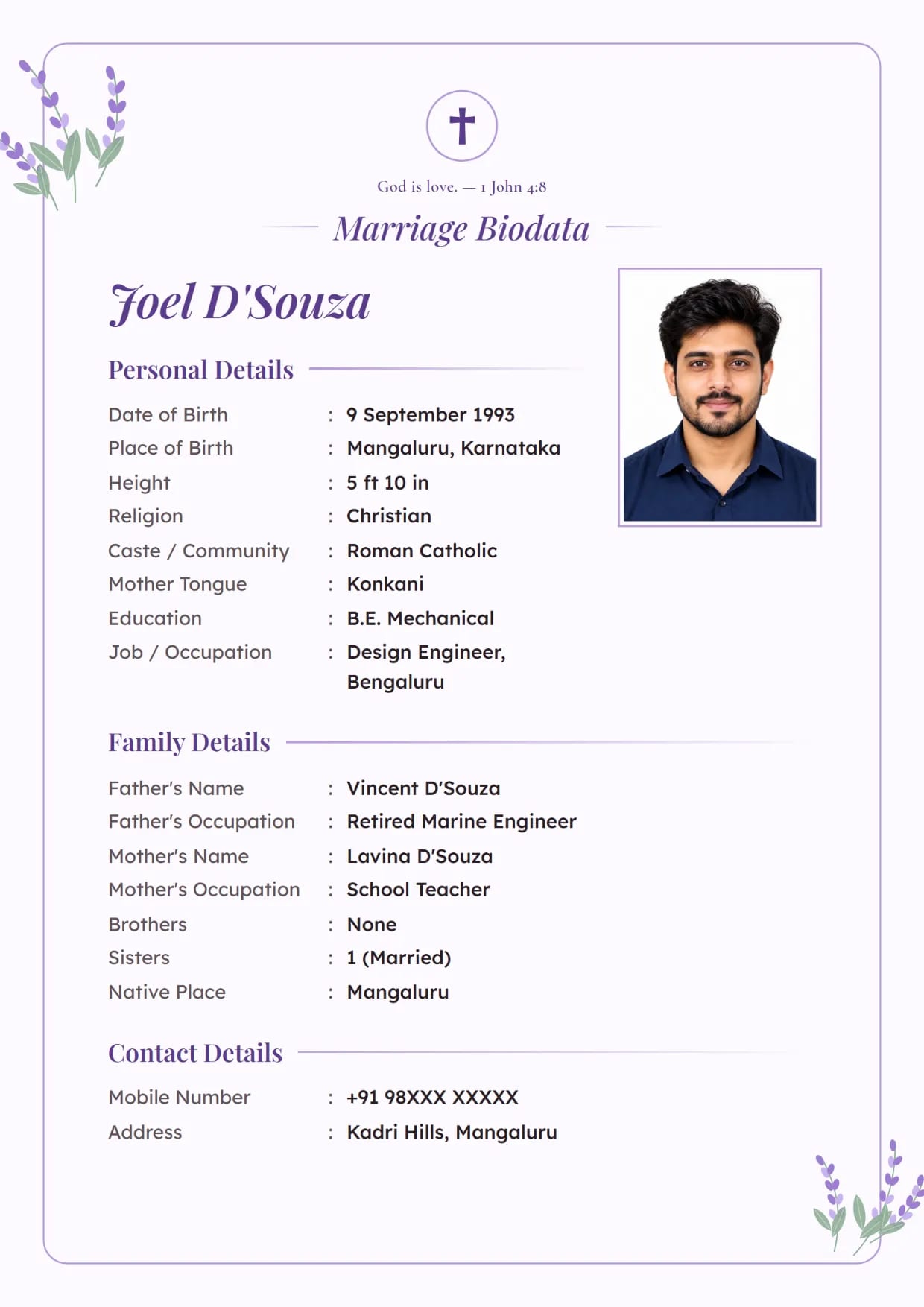
Lavender Bloom, LavenderBoy's biodata with a cross and a Bible verse Use This Design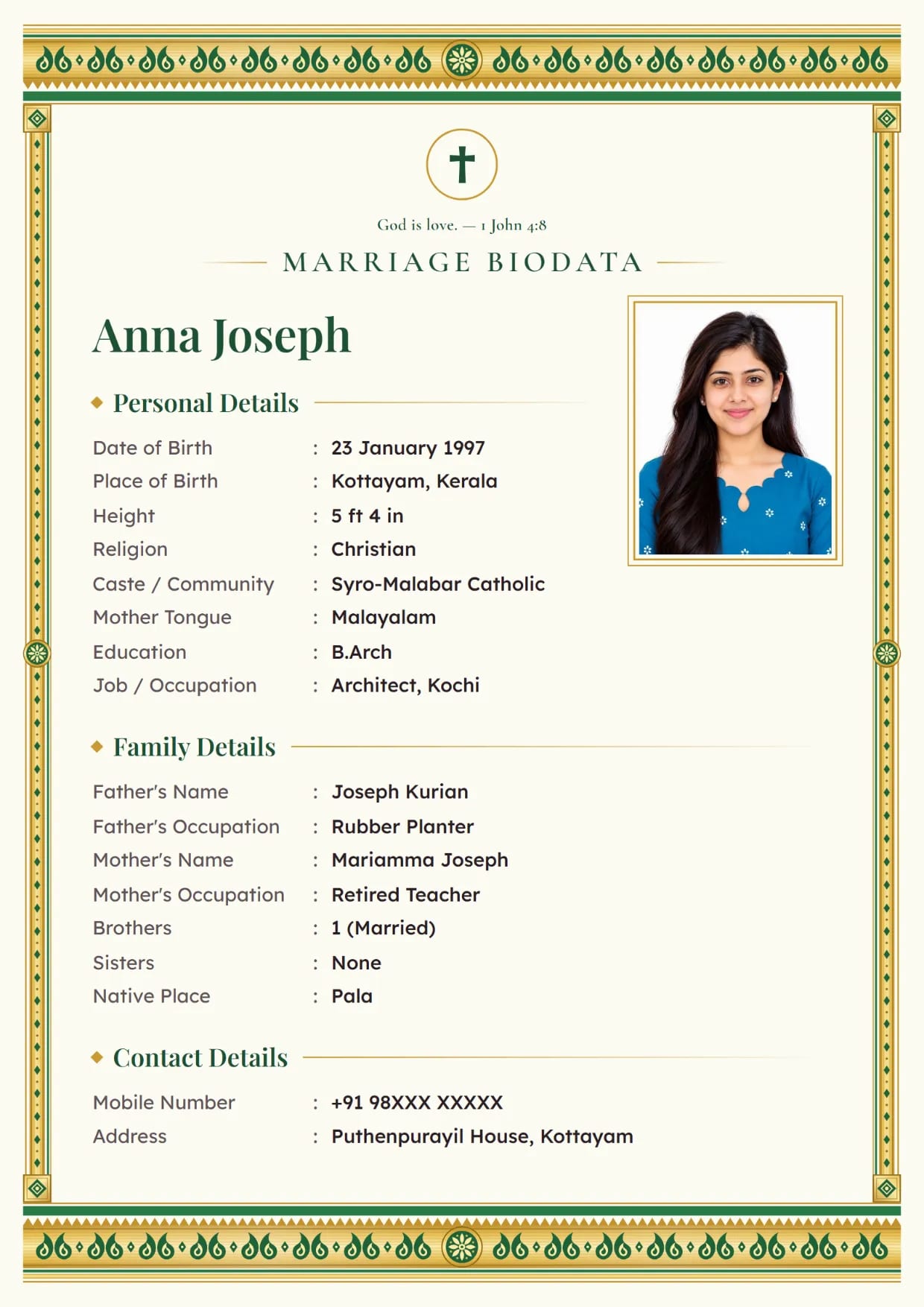
Kasavu Gold, Onam GreenGirl's biodata with a cross and a Bible verse Use This Design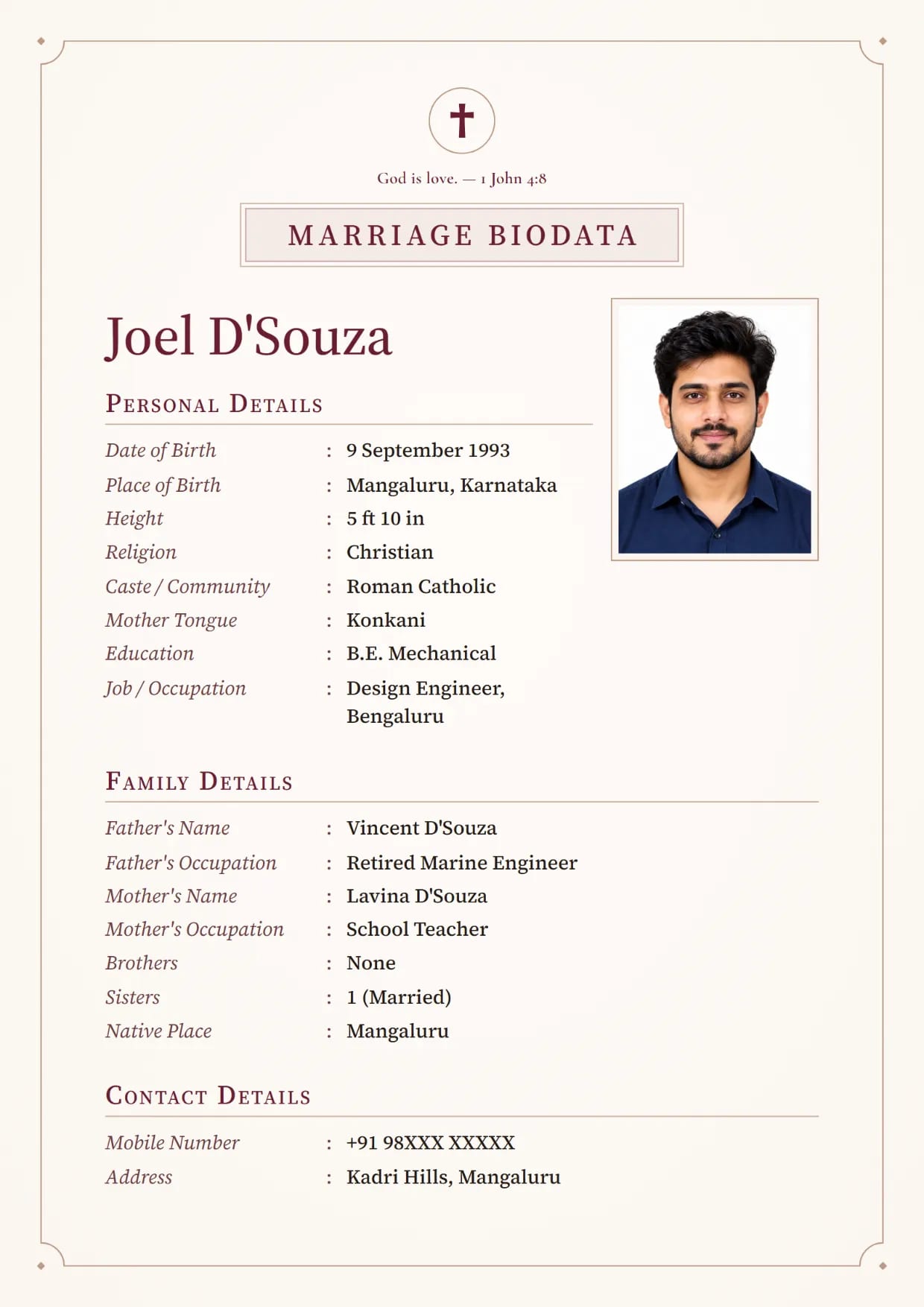
Linen Classic, ClaretBoy's biodata with a cross and a Bible verse Use This Design
Common Questions
Does a Christian Biodata Need a Horoscope?
No. Most Christian families do not match horoscopes, so our form switches the horoscope section off when you choose Christian. Leave Time of Birth empty, or remove the row from its three-dot menu.
Should I Write My Baptism Name on the Biodata?
Write it only if it is different from the name you use every day and your parish knows you by it. Put it in brackets after your name, such as "Anju Thomas (Ancy)".
Is There a Christian Marriage Biodata Format in Word?
Yes. After you download the PDF or the image, the same screen offers a free Word file (.docx) of your biodata. It opens in Microsoft Word, so you can change a line later. Fonts and spacing may differ a little from the PDF. The marriage biodata Word format page shows how it looks.
How Do I Write the Denomination for a Catholic Biodata?
Write the rite as well as the word Catholic: Roman Catholic (Latin), Syro-Malabar Catholic or Syro-Malankara Catholic. Add the parish with the Church / Parish field.
Which Designs Suit a Christian Biodata for Marriage?
Linen Classic, Rose Garden, Lavender Bloom, Kasavu Gold and Ivory Line show the Christian sample with the Cross. The pictures on this page are those designs filled with made-up details.
Related Pages
Ready to Make Yours?
Pick a design, fill in your details and download your biodata as a PDF or an image. Free to make.