
Odia Marriage Biodata Format
An Odia marriage biodata format has the person's details, the kosthi lines (rashi, nakshatra, lagna), the family with gotra and native village, and a contact number. Type in English or Odia and set the Biodata Language to Odia. The labels then print in Odia script.
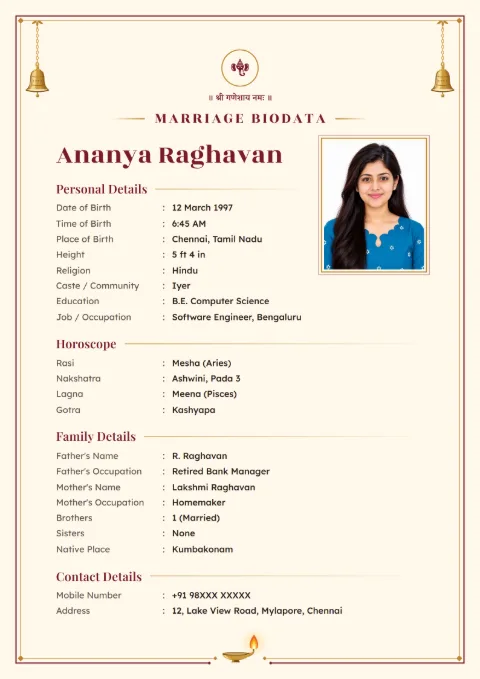
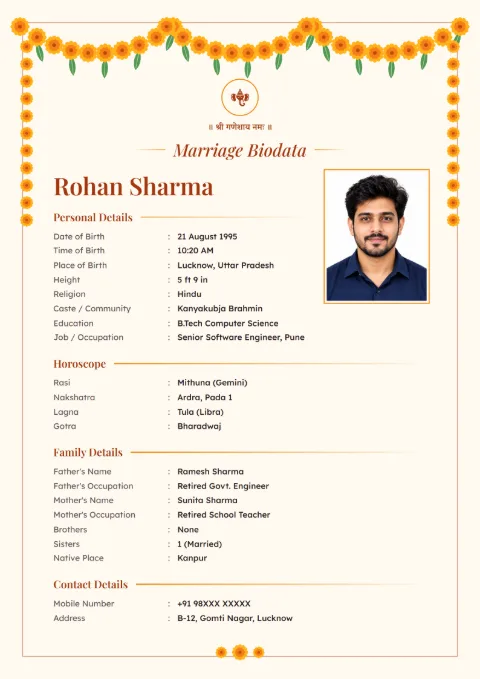
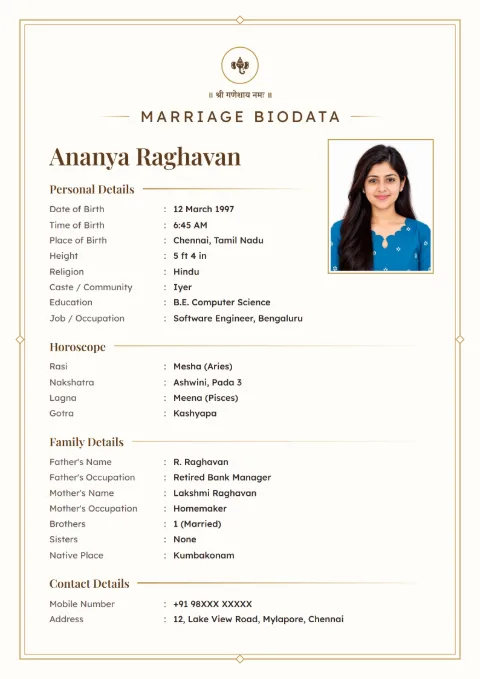
What Goes in an Odia Marriage Biodata Format?
When a bahaghara (marriage) proposal starts in Odisha, the biodata usually goes out with the kosthi, or soon after it. The biodata is the short version. One page that tells the other family who the boy or girl is, whether the stars may suit, and who the family is.
From the top, an Odia biodata runs like this:
- A god's symbol and one blessing line, such as ଶ୍ରୀ ଜଗନ୍ନାଥ ପ୍ରସନ୍ନ.
- The title, ବିବାହ ବାୟୋଡାଟା (bibaha biodata), and the photo.
- Personal details: name, birth date, time and place, height, community, education and job.
- Kosthi details.
- Family details, with the native village.
- Contact details.
Keep it to one A4 page if you can. Most people read it on the phone first, and the printout comes later.
Kosthi Lines and Gotra
Our form prints four horoscope rows: Rasi, Nakshatra, Lagna and Chevvai / Manglik. You do not have to work them out. Enter the date, time and place of birth and the form fills the rashi, the nakshatra with its pada and the lagna, using the Lahiri method. If your kosthi shows something different, pick the kosthi's value.
Manglik is never filled in by itself. Look at what the astrologer wrote in the kosthi and choose No, Yes, Partial or Don't Know.
Gotra is the line Odia families look for next. Many of them avoid a match within the same gotra, so add it from Add More Details in the horoscope section. Our page on same gotra marriage explains why.
Some families also write the gana (Deva, Manushya or Rakshasa) or the family's kuladevata. These are not ready fields. Add them with Add Your Own Field.
The biodata prints the horoscope as text rows only. No kosthi chakra is drawn, and you cannot attach a scan of the kosthi to the biodata. Send photos of the kosthi pages separately when the other family's astrologer asks.
The Native Village, Written the Odia Way
On an Odia biodata, the Native Place row prints as ମୂଳ ଘର (mula ghara). Write the village and district even if the family has lived in Bhubaneswar, Bengaluru or Hyderabad for years. Many families write it in the old postal order: village, post, thana, district. "Kantapada, Cuttack" is enough on most biodatas.
Where the family lives now goes in Contact Details. Add Current City from Add More Details, and keep the Address to the area and city.
Relatives often ask about the mamu ghara (the mother's side). Add Maternal Uncle from Add More Details in Family Details, with his name and town.
Community and Parents' Names
Write the community in Caste / Community the way your family says it, such as Karan, Khandayat, Utkal Brahmin or Gauda. If a sub-group matters to your family, add it after a comma.
Odia biodatas usually put Shri before the father's name and Shrimati before the mother's. If a parent has passed away, write Late or Swargata before the name. What you type is what prints.
A Filled Odia Marriage Biodata for a Boy
The boy below is made up, and so is his family and his kosthi. The phone number is masked.
| Field | Entry |
|---|---|
| Full Name | Subhransu Mohanty |
| Date of Birth | 14 November 1995 |
| Time of Birth | 5:50 pm |
| Place of Birth | Cuttack |
| Height | 5 ft 8 in |
| Religion | Hindu |
| Caste / Community | Karan |
| Education | B.Tech (Electrical), VSSUT Burla |
| Job / Occupation | Assistant Engineer, power company, Bhubaneswar |
| Annual Income | ₹9.6 lakh |
| Rasi | Simha |
| Nakshatra | Magha, Pada 4 |
| Chevvai / Manglik | No |
| Gotra | Atreya |
| Father's Name | Shri Pradeep Kumar Mohanty |
| Father's Occupation | Retired headmaster |
| Mother's Name | Shrimati Sasmita Mohanty |
| Sisters | 1 (married) |
| Native Place | Kantapada, Cuttack |
| Current City | Bhubaneswar |
| Mobile Number | 98XXX XXXXX |
For a girl, the same table works. Many families put the father as Contact Person on a girl's biodata.
How the Odia Setting Works
Hello Biodata's website is in English, but the biodata can print in Odia. Open "Top of the Biodata" on the form. The first box is Biodata Language. Choose Odia.
From then on the labels, the section titles and the values picked from lists (rashi, nakshatra, Diet, Marital Status) print in Odia script. The details you type print exactly as typed. Type in English and you get Odia labels with English details, which many families working outside Odisha prefer. For a page fully in Odia, type the details with an Odia keyboard on the phone.
Dates print in numbers with English digits, 14-11-1995. There is no setting for Odia numerals.
Don't like a label? Open the row's three-dot menu and Rename it. Many families would write ଚାକିରି (chakiri) for a salaried job in place of ବୃତ୍ତି. The new name stays on the Odia copy.
Labels Your Biodata Prints in Odia
| English field | Odia label | How it is said |
|---|---|---|
| Full Name | ନାମ | Nama |
| Date of Birth | ଜନ୍ମ ତାରିଖ | Janma tarikha |
| Time of Birth | ଜନ୍ମ ସମୟ | Janma samaya |
| Place of Birth | ଜନ୍ମ ସ୍ଥାନ | Janma sthana |
| Height | ଉଚ୍ଚତା | Uchchata |
| Caste / Community | ଜାତି / ସମାଜ | Jati / Samaja |
| Education | ଶିକ୍ଷାଗତ ଯୋଗ୍ୟତା | Shikhyagata jogyata |
| Job / Occupation | ବୃତ୍ତି | Brutti |
| Father's Name | ପିତାଙ୍କ ନାମ | Pitanka nama |
| Mother's Name | ମାତାଙ୍କ ନାମ | Matanka nama |
| Native Place | ମୂଳ ଘର | Mula ghara |
| Nakshatra | ନକ୍ଷତ୍ର | Nakhyatra |
| Gotra | ଗୋତ୍ର | Gotra |
| Address | ଠିକଣା | Thikana |
Blessing Lines and Titles
An Odia biodata starts with the Blessing Line on. The Odia lines for a Hindu biodata are:
- ଶ୍ରୀ ଜଗନ୍ନାଥ ପ୍ରସନ୍ନ
- ଜୟ ଜଗନ୍ନାଥ
- ଶ୍ରୀ ଗଣେଶାୟ ନମଃ
Hindi lines such as ॥ श्री गणेशाय नमः ॥ sit under a Hindi heading in the same list. A Buddhist biodata gets ନମୋ ବୁଦ୍ଧାୟ. Write My Own takes any line your family uses.
The symbol above the line comes from a fixed list of 11. There is no Jagannath picture in it, so families usually pick Ganesha or Om, or switch the symbol off and let the Jagannath line stand alone.
Titles on offer: ବିବାହ ବାୟୋଡାଟା, ବାୟୋଡାଟା, ବିବାହ ପାଇଁ ବାୟୋଡାଟା and ବ୍ୟକ୍ତିଗତ ବିବରଣୀ.
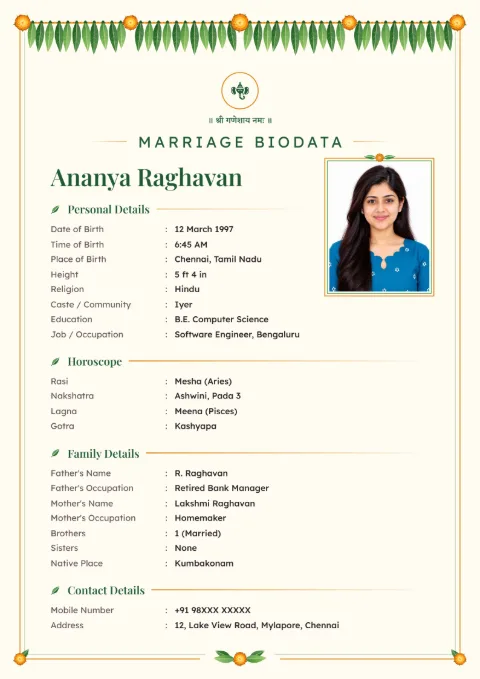
How to Make an Odia Biodata Here
- Open the designs. Temple Bell, Marigold Toran and Ivory Line are free.
- Choose "This Biodata Is For: Male / Female" and type the Full Name.
- Verify your mobile number once with the SMS code.
- In Top of the Biodata, set Biodata Language to Odia and pick ଶ୍ରୀ ଜଗନ୍ନାଥ ପ୍ରସନ୍ନ or another line.
- Fill Personal Details, the kosthi rows with Gotra, Family Details and Contact Details.
- Download PDF or Download Image. The screen after it also offers a Word file.
If the other family wants the full kosthi matched, our marriage biodata with horoscope page explains what astrologers check.
Odia biodata samples
Tap a sample to see it full size. The names and details on them are made up.
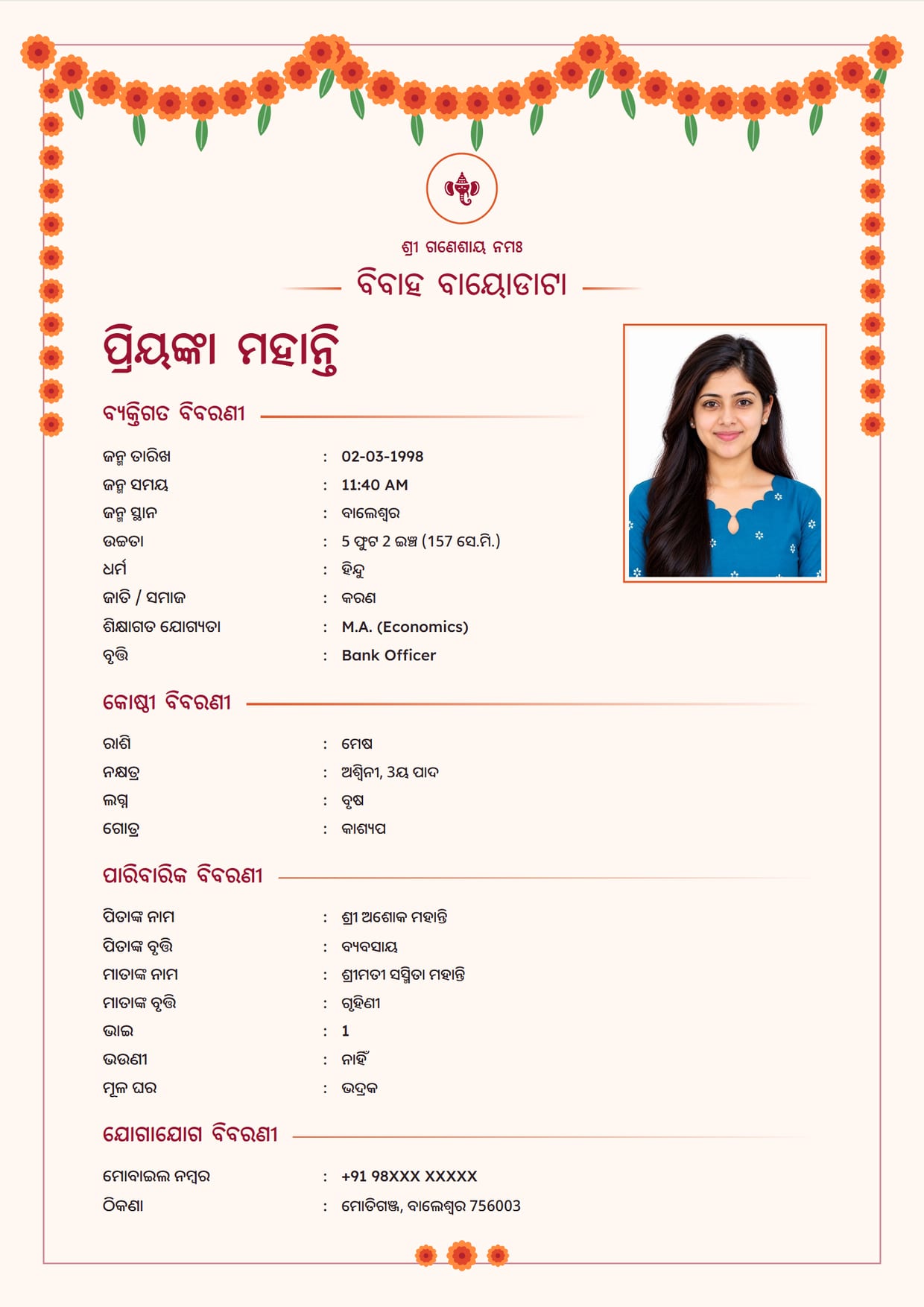
Marigold Toran, KumkumGirl's biodata in Odia, with Ganesh ji Use This Design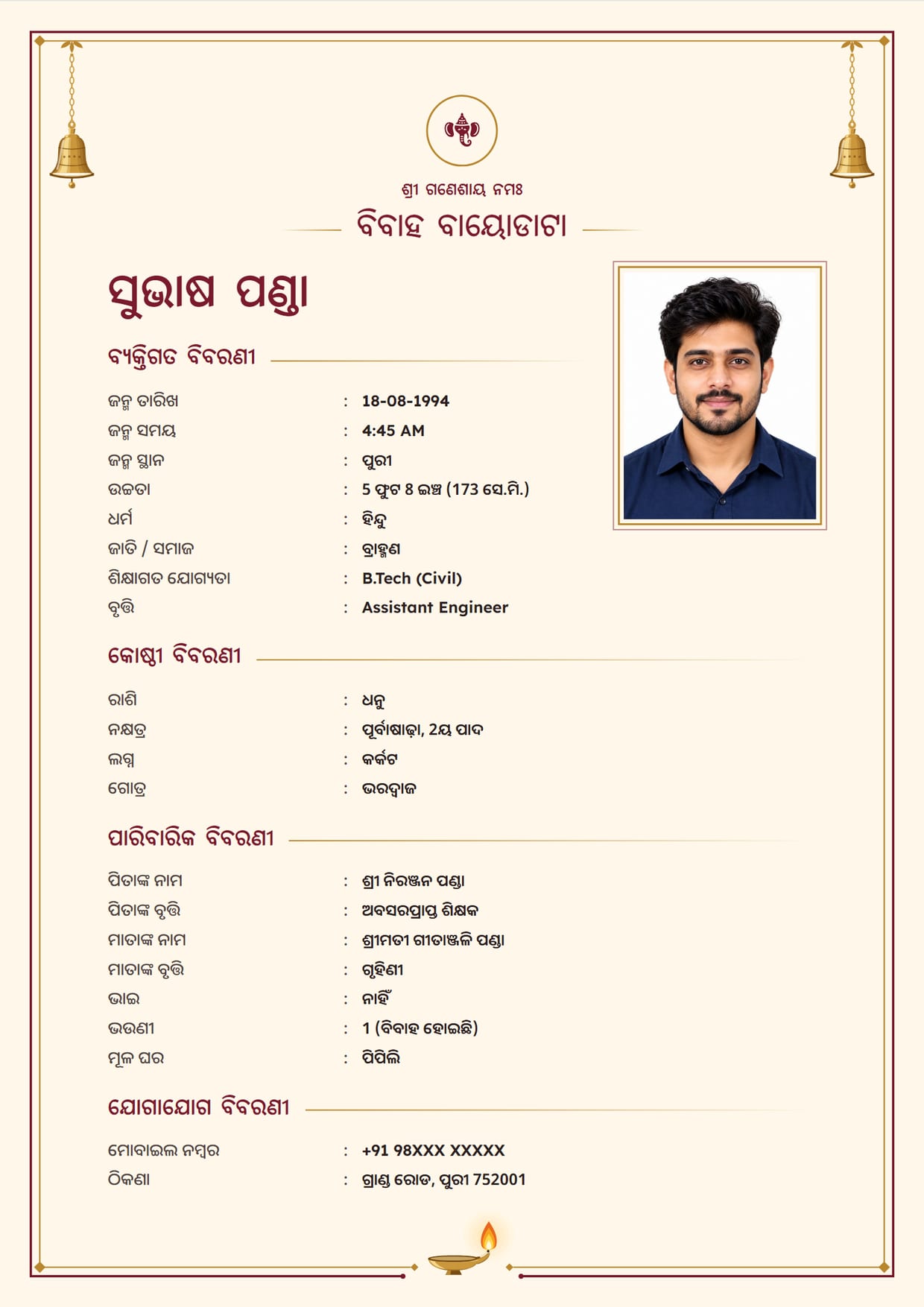
Temple Bell, Maroon BrassBoy's biodata in Odia, with Ganesh ji Use This Design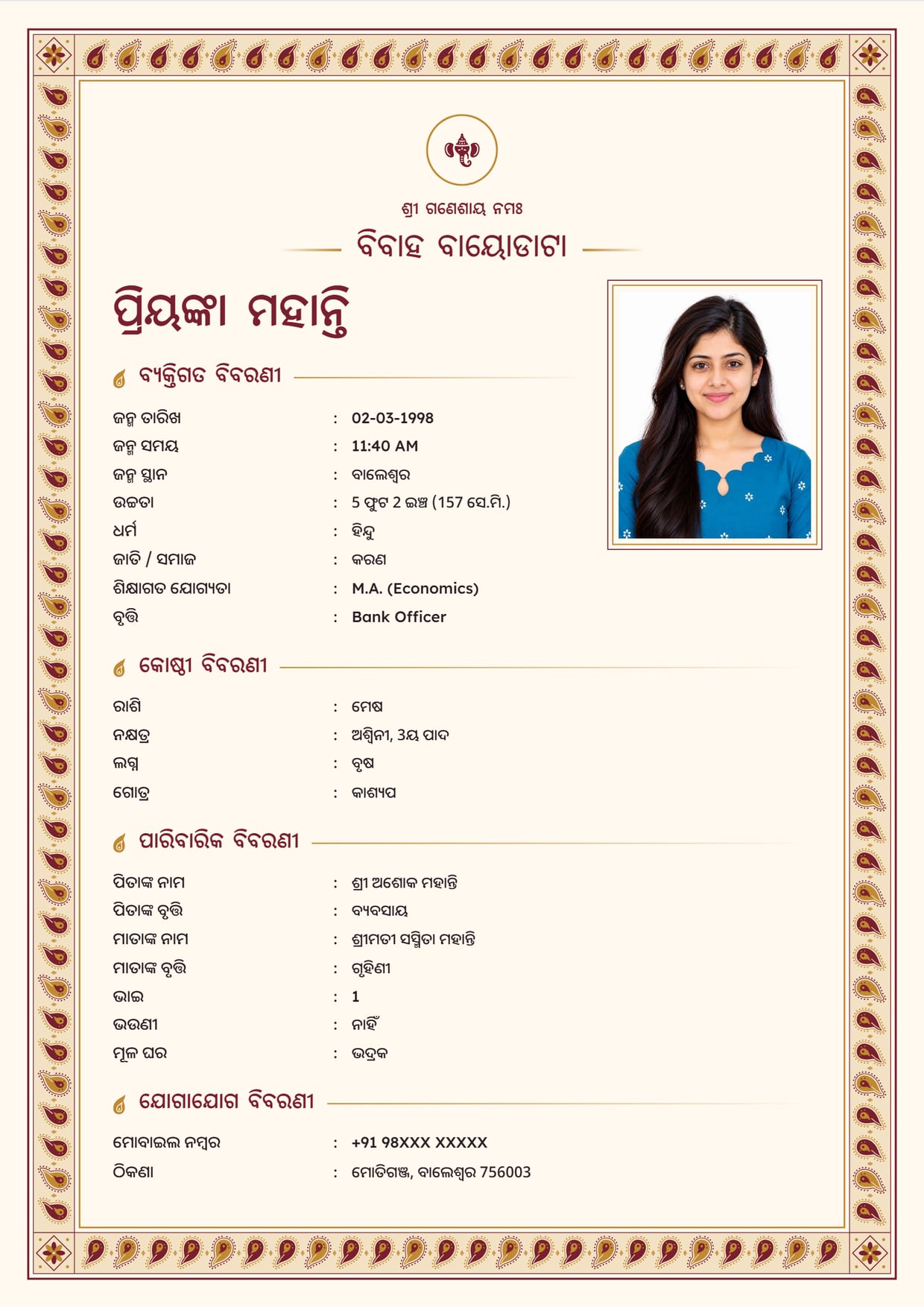
Paisley Border, Maroon GoldGirl's biodata in Odia, with Ganesh ji Use This Design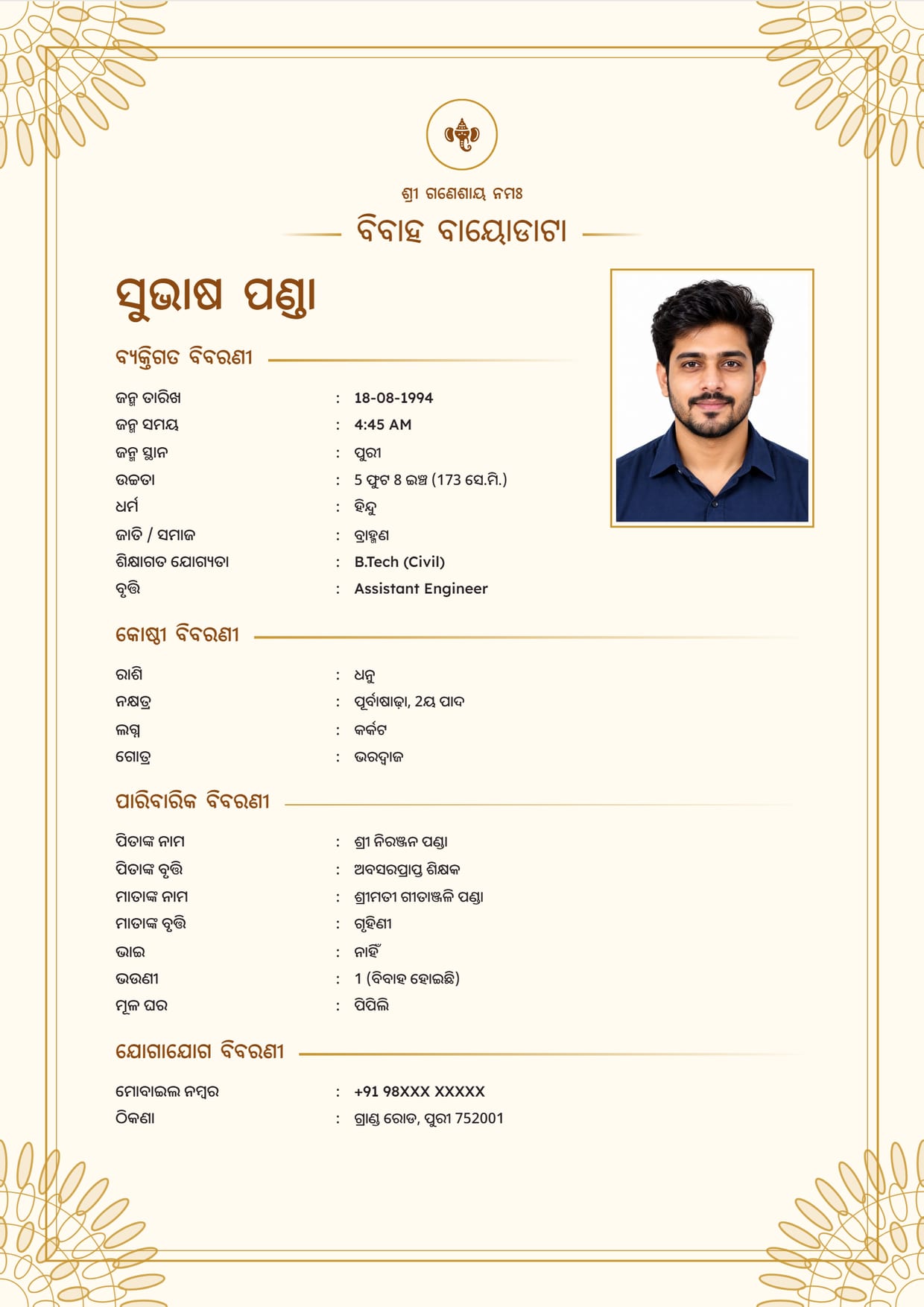
Golden Mandala, GoldBoy's biodata in Odia, with Ganesh ji Use This Design
Common Questions
Is There an Odia Marriage Biodata Format in Word?
Yes. After you download the PDF or the image, the done screen offers "Download Word File", an editable .docx of the same biodata. It opens in Microsoft Word. The Word format page shows how it looks.
Can I Make an Odia Biodata for Free?
Yes. One biodata per verified mobile number is free, and 63 designs are free. A free file carries a small "Made free at hellobiodata.com" line at the bottom.
Can I Attach My Kosthi to the Biodata?
No. The biodata prints rashi, nakshatra, lagna and manglik as text rows. Send clear photos of the kosthi pages separately when they are asked for.
Can I Put Jai Jagannath at the Top?
Yes. ଜୟ ଜଗନ୍ନାଥ and ଶ୍ରୀ ଜଗନ୍ନାଥ ପ୍ରସନ୍ନ are both in the Blessing Line list of an Odia biodata.
Odia or English for the Biodata?
Send the language the other family reads easily. Families outside Odisha often send English and keep an Odia copy for elders. Switch the Biodata Language and download again.
Can the Date Print in Odia Numerals?
No. Dates and phone numbers print with English digits on every language, so 14-11-1995 reads the same to everyone.
Related Pages
Ready to Make Yours?
Pick a design, fill in your details and download your biodata as a PDF or an image. Free to make.